Prusa i3 – Build Manual
11.2 Motor Tuning (For reference, should not be required)
Before shipping your RAMPS has been tested, which involves setting the stepper driver pots to default power
for the motors we ship, it is advised that you dont alter these settings unless you need to after identifying a print
issue requiring it.
Motors can be tuned from scratch using the long method described below however another method is just to
start printing and touch temp test the motor housings .. they should be running warm but not hot. If they start
to get hot after a few layers .. backoff (ant-clockwise) the stepper driver pot by a fraction (maybe 1/12 th of a
turn – five mins on the clock). Repeat until the motors will do a print and stay warm but not hot. If they are
running cool .. they could possibly require an extra 1/12
th
clockwise. This method of tuning is surprisingly
accurate and if you don't mind wasting a few less than ideal prints its a painless way to tune your motors.
This next section describes fully tuning your motors from scratch :
Before starting these tests, familiarise yourself with a quick way to stop or cycle the printer either the reset
button on the front of the LCD (preferred), or the switch off the power supply. There is also a reset button on
the side of the RAMPS but its hard to access in a hurry and dangerous to be fumbling around the live RAMPS
connections.
Manually move the build platform and the X-Axis so that they touch the endstops then select from the LCD
menu : Prepare → Move Axis → 1mm → X-Axis, then turn the knob clockwise which should move the x-axis
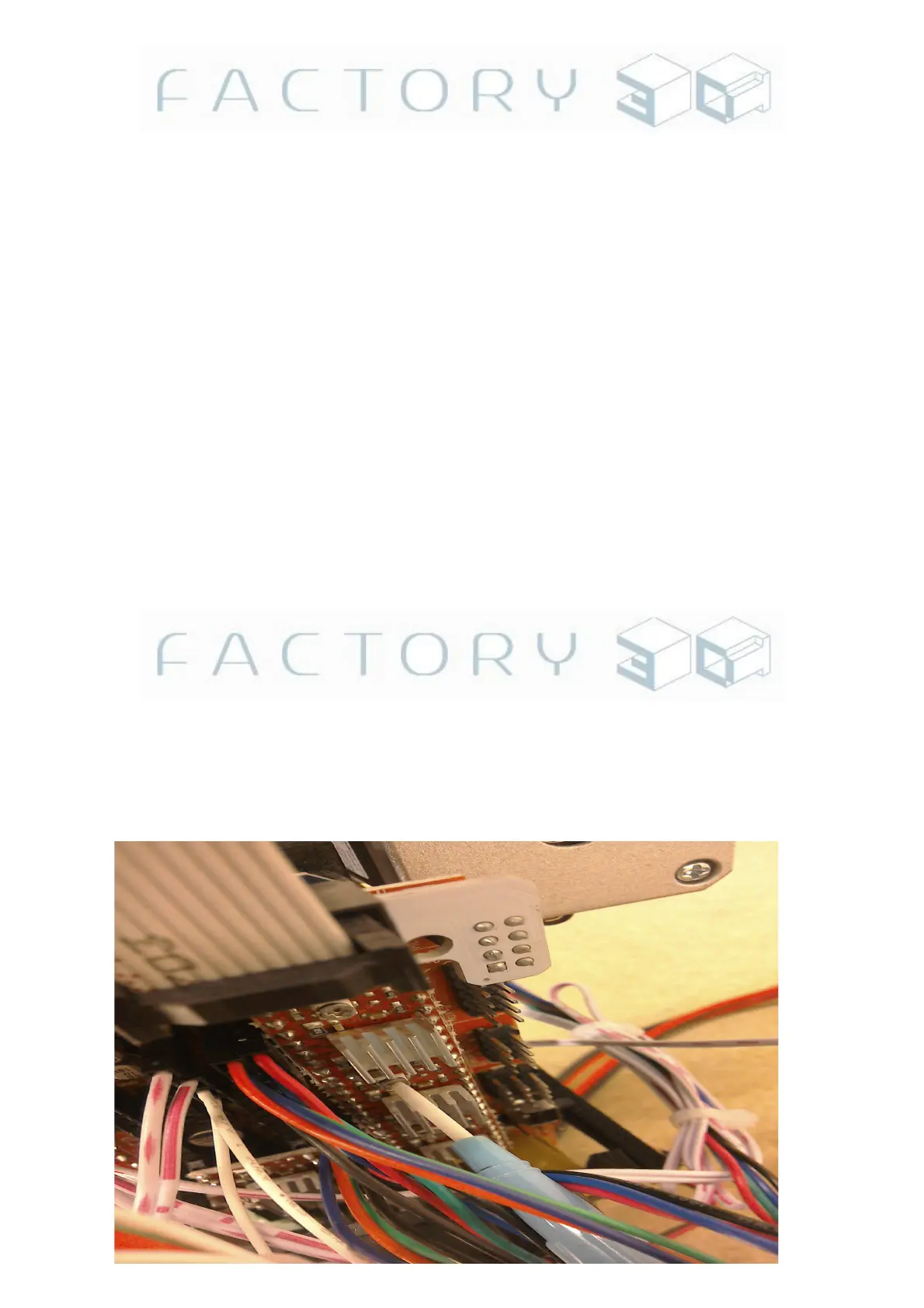
to the right, probably quite jerkily .. or possibly it wont move at all. Locate and turn the adjuster 'pot' on the
stepper motor driver for the X-Axis using the ceramic screwdriver, turn it anti-clockwise until the motor starts
juddering then no longer moves (or clockwise until it starts to move). See Fig 11.2a. You will find that the
motor will be perfectly tuned a small amount after the point it starts to move without juddering (maybe ¼
of a
turn after) .. and it will move smoothly and not overheat during printing. If either your stepper motor driver or
your stepper motor get too hot during printing it will ruin your print, and they will over-heat if the adjusters are
set even fractionally too high (especially the extruder and z-axis). For your first couple of prints touch test the
heat of the motors during the print.. they will get warm (in fact they should get a little warm, if they are staying
cold they may not be getting enough power) but if they start to get hot you have adjusted too high. Once you
get these tuned right .. don't be tempted to re-tune if you run into a print problem, once they are tuned they tend
to stay tuned and not need to be changed.
Fig 11.2a (Y-Axis stepper motor driver adjuster pot)
Version: 1.3 Page: 49



 To Next Page