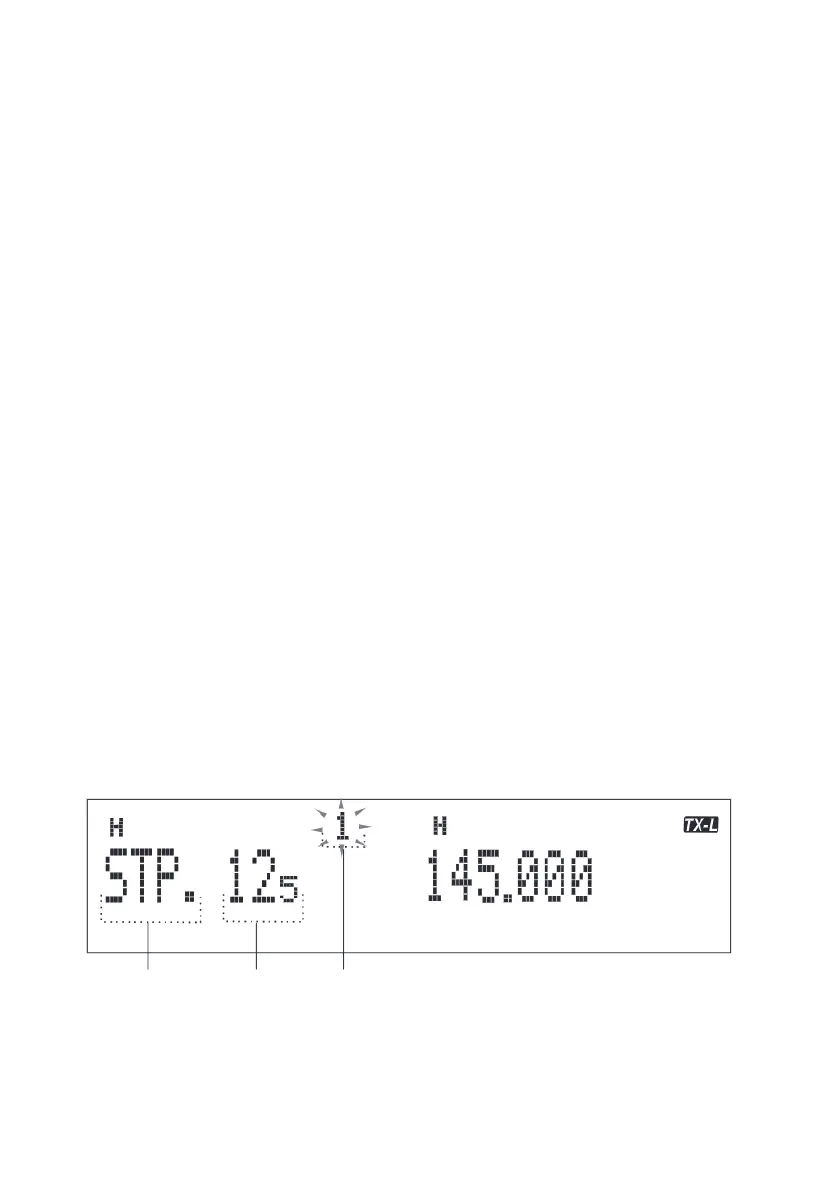
2. Rotate the coding knob to choose the needed menu. When changing menu numbers, the screen will display short introduction of each
menu and current specifications.
3. Press MHZ/SET key to equip with current selected menu numbers specifications.
4. Rotate the coding knob to choose the needed specification.
5. Press MHZ/SET key to save new settings, or press other keys to cancel.
6. Press any other key to exit the menu key, except MHZ/SET key.
Note:
In the following table, the items with * after the menu number are public menu items. As long as the main frequency setting changes, the
secondary frequency also changes.
To change the primary or secondary frequency, hold down the [MHZ/SET] key
Menu Name
Setting Menu Number
Main Frequency and Sub-frequency Switch
Main frequency refers to the current operating and working channel. Sub-frequency refers to the receiving and monitor channel.
3 methods to switch main frequency and sub-frequency
1.When menu 14(ECHO) is set to "AUTO", the secondary frequency of the monitored signal automatically switches to the main frequency.
2. When menu 14(ECHO) is set as "MANU", when the secondary frequency monitors the signal, it has the same functions as the main
frequency within about 3 seconds, such as: it can carry out transmission scanning priority, etc.
3.Long press the MHZ/SET key to switch main frequency and sub-frequency.
For example, screen public area originally displays TX-L and displays TX-R after switching.
Volume Adjustment
Clockwise rotate the volume knob to increase the output volume and anticlockwise rotate the volume knob to decrease the output volume.
Squelch Adjustment
Clockwise rotate the squelch knob until the background noise (on the screen) disappears to improve weak signals sensitivity.
Transmitting
When transmitting, press the PTT key and away about 5cm from the microphone to normally speak. If main frequency at the left of screen, it
will display TX-L, at the right display TX-R. After speaking, release the PTT key.
Output Power Selection
1.Press FUN, MHZ/SET key in turn, then rotate the coding knob to choose menu number 6 (TXP).
2.Press MHZ/SET key and rotate the coding knob to choose H ( high power; default) or M, L3, L2 and L1.
3.Press MHZ/SET key to save settings, or press any other key to cancel.
4.Press any other key to exit the menu mode, except MHZ/SET key.
5.Continuously press LOW/REV key to switch power.
Note:
·Don’t transmit with high power for a long time, or it may cause that the mobile radio is over-heated and doesn't normally work.
·Continuously transmit may cause that the radiator is over-heated. In this occasion, don’t touch the radiator. When the mobile radio is
over-heated due to the high-temperature environment or continuous transmission, for protection circuit, the mobile radio may automatically
switch high output power to low output power.
·Power switch can be proceeded in the power switch allowance channel.
Frequency Selection
VFO Mode
VFO mode is a basic mode to change operating frequency. To enter VFO mode, press VFO key. Clockwise the coding knob to increase
frequency and anticlockwise the coding knob to decrease frequency. Microphone UP/DWN key can be used to adjust frequency.
·Press microphone UP/ DWN key to continuously up-regulate or down-regulate frequency.UP/ DWN
·MHz Mode
If the needed operating frequency is far away from the current frequency, use MHz tuning mode to adjust quickly.
1. When in VFO mode or call mode, press [MHZ/SET]·MHz digital blinking
2. Turn the encoding knob to select the desired MHz value
3. press any key to set the selected frequency and return to VFO mode
4. Use the coding knob or microphone (UP][DWN] key to continue adjusting the frequency as needed
Directly Input Frequency
1.Press VFO/B key. Directly input frequency must be in VFO mode.
2.Press the microphone PF/D key with Enter function, that is the microphone Enter key.
3.Press the number key 0 to 9 to input the needed frequency.
If only changes MHz numbers and keeps KHz numbers same, press the VFO/B key instead of the microphone Enter key.
The input assigned frequency will be confirmed when the microphone Enter key is pressed.
Menu Settings
Menu Visit
1.Press FUN, MHZ/SET key in turn to enter menu interface.
05



 To Next Page