1.Press FUN, MHZ/SET key in turn, then rotate the coding knob to choose menu number 61 (TVOL).
2.Press MHZ/SET key and rotate the coding knob to choose volume levels: 1~25, 10 (default).
3.Press MHZ/SET key to save settings, or press any other key to cancel.
4.Press any other key to exit menu mode, except MHZ/SET key.
Reset Operation
Fully Reset
Fully Reset Method 1:
1.When mobile radio is turned off, press FUN and (power) key.
• All indicates light up for a moment and appear fully reset confirm message.
2.Press FUN key.
• Screen displays SURE?
• Press any key to cancel, except FUN key.
3.Press FUN key to reset mobile radio.
• Screen displays WAIT for a moment.
Fully Reset Method 2:
1.Press FUN, MHZ/SET key in turn, then rotate the coding control knob to choose menu number 53 (RESET).
2.Press MHZ/SET key and rotate the coding knob to choose FULL.
3.Press MHZ/SET key.
• Screen displays SURE?
• Press any key to cancel, except MHZ/SET key.
4.Press MHZ/SET key again to reset mobile radio.
• Screen displays WAIT for a moment.
VFO Reset
Method 1
1.When mobile radio is turned off, press VFO and (power) key.
• VFO reset confirm message appear.
2.Press VFO key.
• Screen displays SURE?
• Press any key to cancel, except VFO key.
3.Press VFO key again to reset mobile radio.
• Screen displays WAIT for a moment.
Method 2
1.Press FUN, MHZ/SET key in turn, then rotate the coding control knob to choose menu number 53 (RESET).
2.Press MHZ/SET key and rotate the coding control knob to choose VFO.
3.Press MHZ/SET key.
• Screen displays SURE?
• Press any key to cancel, except MHZ/SET key.
4.Press MHZ/SET key again to reset mobile radio.
• Screen displays WAIT for a moment.
Wired Clone
The function is allowed to send the saved materials and set data of one mobile radio to the other mobile radio. We suppose that transmitting
data’ mobile radio is transmitter and receiving data is receiver, as following steps to operate:
1.Use the clone cable to connect two mobile radios though DATA socket.
2.Turn off the transmitter and turn on the receiver.
3.Press CALL/TONE, MHZ/SET and (power) key simultaneously to turn on the transmitter and the screen displays CLONE, wired copy
function is activated.
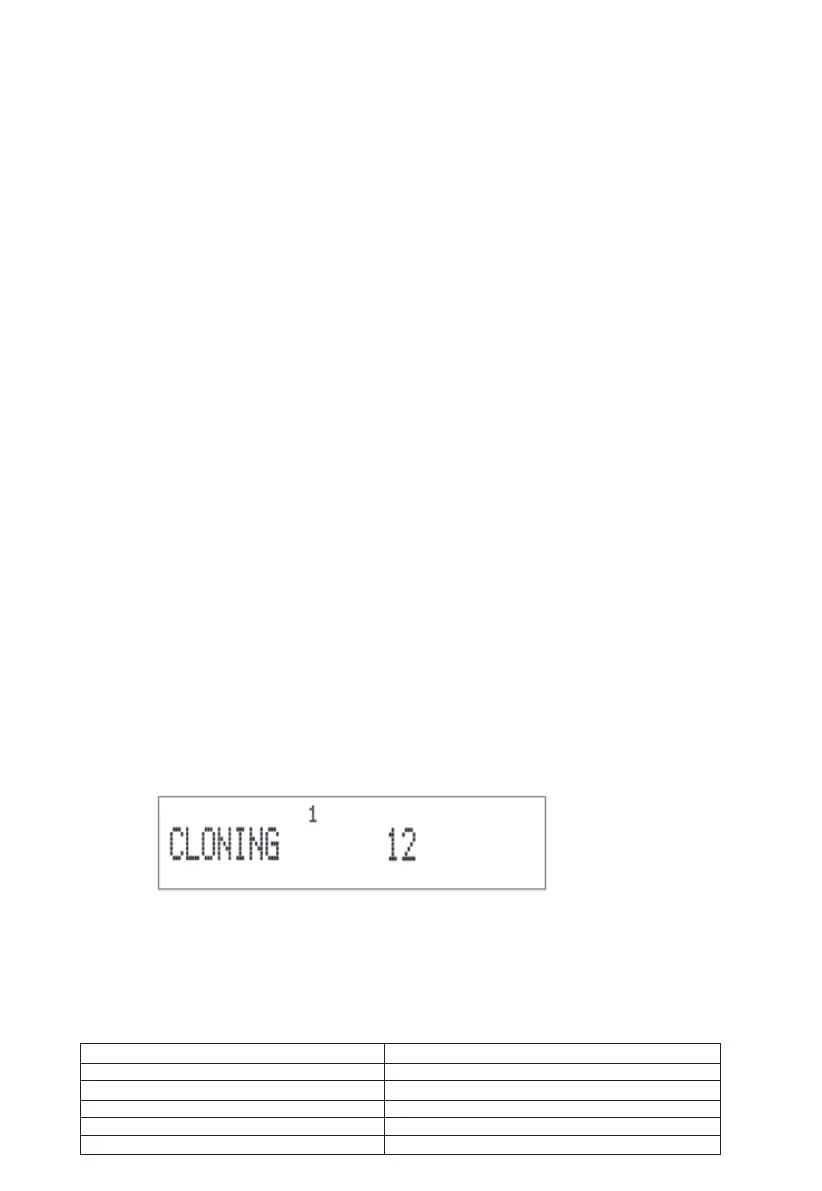
4.Press MHZ/SET key of the transmitter. Transmitter displays CLONING and receiver displays CLONE RX. Mobile radios enter copy mode
and copy progress is displayed.
• Right corner number of CLONING stands for successful clone times.
5.When the transmitter clone number is to 100, copy finishes and screen displays CLONE OK, CLONE is displayed again after for 1s to
enter copy preparation status.
6.When the receiver clone number is to 100, copy finishes and the receiver is automatically turned on again.
7.If fault appears in the process of copying, screen will display CLONE FALL. Check whether connection cable and the mobile radio model
is right, etc. Try it again.
8.If wants to continue to copy next mobile radio, turn off the receiver and unplug transmission cable. Change the other mobile radio and turn
on. Repeat step 4, 5 and 6. Exit copying in the process of copying, turn off mobile radios.
Specification
Frequency Range
Frequency Step
Transmitting Method
Antenna Impedance
Frequency Stability
Working Temperature
GMRS
5/6.25/10/12.5/15/20/25/30/50/100KHZ
F3E(FM)
50Ω, Unbalanced
≥±2.5ppm(-20°C~60°C)
-20°C~60°C
19



 To Next Page