33
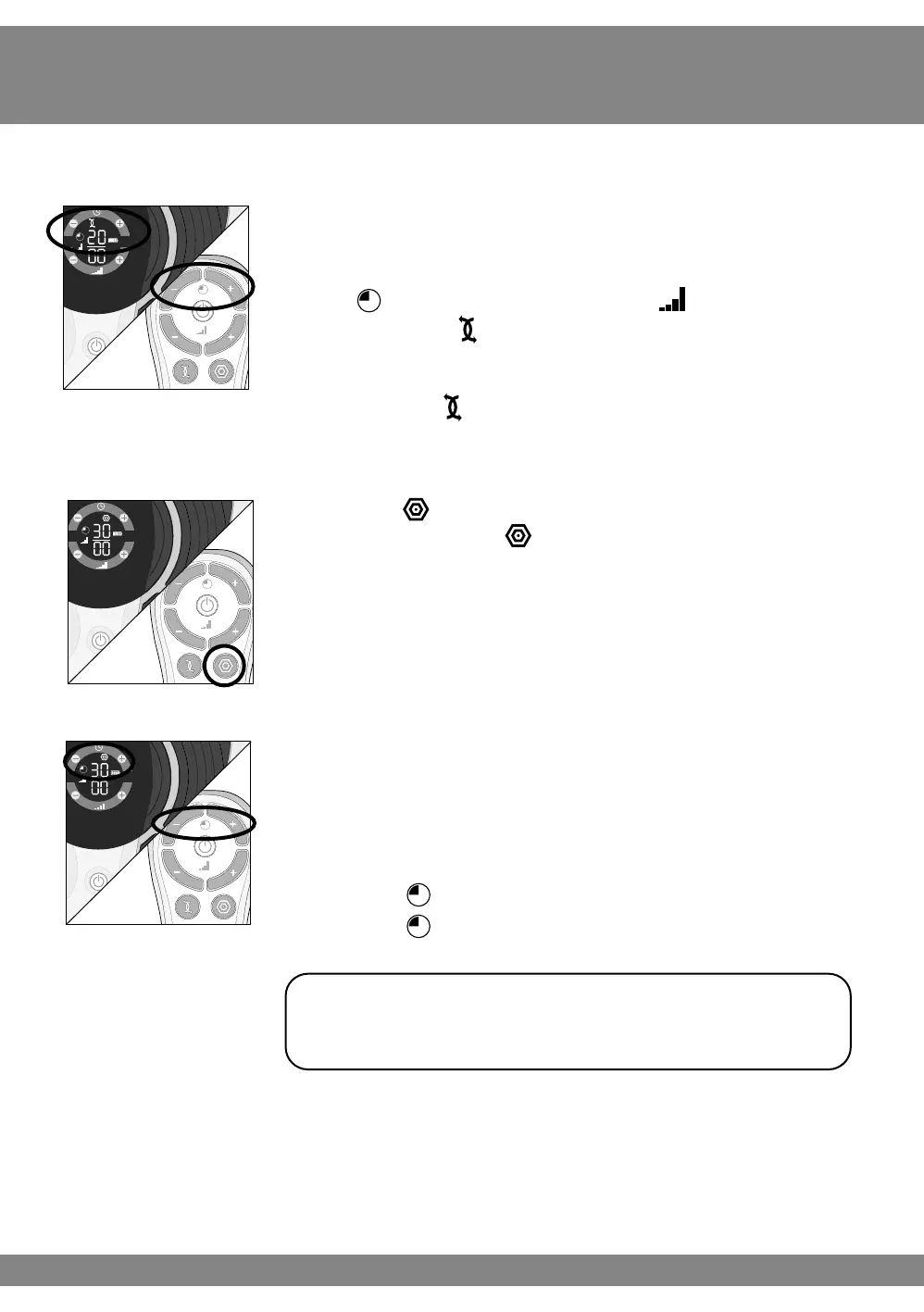
g Press the power button on the device or on the
remote control to turn Revitive on.
You will hear a beep and the display lights will light up.
The time will read 20 minutes, the Intensity will
read 00 and the EMS symbol will be displayed.
Revitive Body Pads will automatically provide
stimulation in EMS mode.
See page 24 for instructions on how to use EMS mode.
h Press the TENS button on the remote control.
You will then see the TENS symbol on the display.
i Set the time for the number of minutes you want to
use Revitive. The default time in TENS mode is 30 minutes.
You can set the timer for up to 60 minutes.
You can use the buttons on the control panel or
remote control.
Press the (+) Time Contol to increase the time.
Press the (–) Time Contol to decrease the time
It is recommended to use Revitive in TENS
mode for 20-30 minutes per session.



 To Next Page