14
15
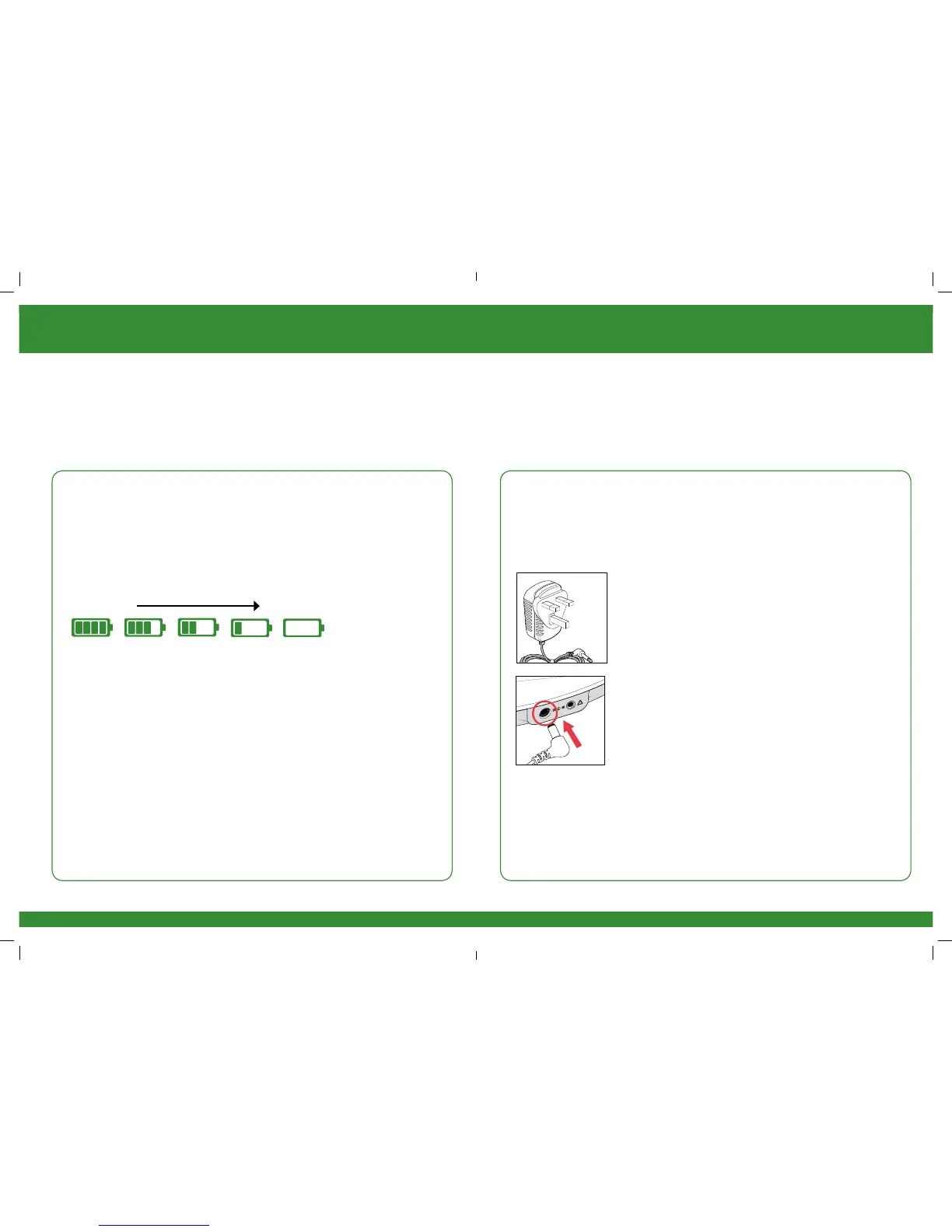
Full Battery
Low Battery
Instructions for use
STEP 3:
POWERING REVITIVE MEDIC
REVITIVE Medic can be powered from either the rechargeable battery or by
connecting it to an electrical socket.
BATTERY POWER OPTION
If you want to use the device without connecting it to an electrical
socket, it can run from the battery.
When the device is running from the battery, an indicator will show the
remaining battery level.
Follow Step 4 Using The Foot Pads or Step 5 Using the Electrode Body
Pads to continue setting up REVITIVE Medic.
When the battery drops to the low level, it will require recharging.
See Step 6, Recharging Battery on page 24
If you turn the device off and the low battery level indictor blinks for
10 seconds, the battery requires recharging.
Please note that if the battery runs out, the device can still be used,
by connecting to an electrical socket.
MAINS POWER OPTION
If you want to use the REVITIVE Medic when the battery is low or to
preserve the battery level the REVITIVE Medic can be used by connecting
it to an electrical socket.
a Locate the AC/DC power adaptor.
b Plug the small end of the power cord into the
opening on the side of the REVITIVE Medic.
c Plug the power adaptor into the nearest electrical
socket. This will start charging the (integrated)
rechargeable battery.
Once you have connected REVITIVE to the electrical socket follow Step 4
Using The Foot Pads or Step 5 Using the Electrode Body Pads to continue
setting up REVITIVE Medic.
2301_IFU03_9524382.indd 14-15 08/06/2015 14:05


 To Next Page