24
25
STEP 7:
CLEANING AND STORING REVITIVE
a Ensure REVITIVE Medic is switched off.
b Wipe down the foot pads with a soft damp cloth.
Do not clean with chemicals.
Do not immerse REVITIVE Medic in water.
c Store REVITIVE Medic in a cool, dry and dust-free location.
Store out of direct sunlight.
d Place body pads onto the plastic liner.
e Store the body pads in a dry and ventilated location.
Store out of direct sunlight.
You do not have to detach the body pads from the body pad cords to store
them.
Replacing the Batteries
The remote control requires two AAA 1.5V batteries to operate.
Replacing the Body Pads
The body pads are reusable up to 20-30 applications. If the body pads
start to lose their adhesiveness, rub a few drops of water into the surface.
Replacement body pads can be obtained via www.revitive.com
Instructions for use
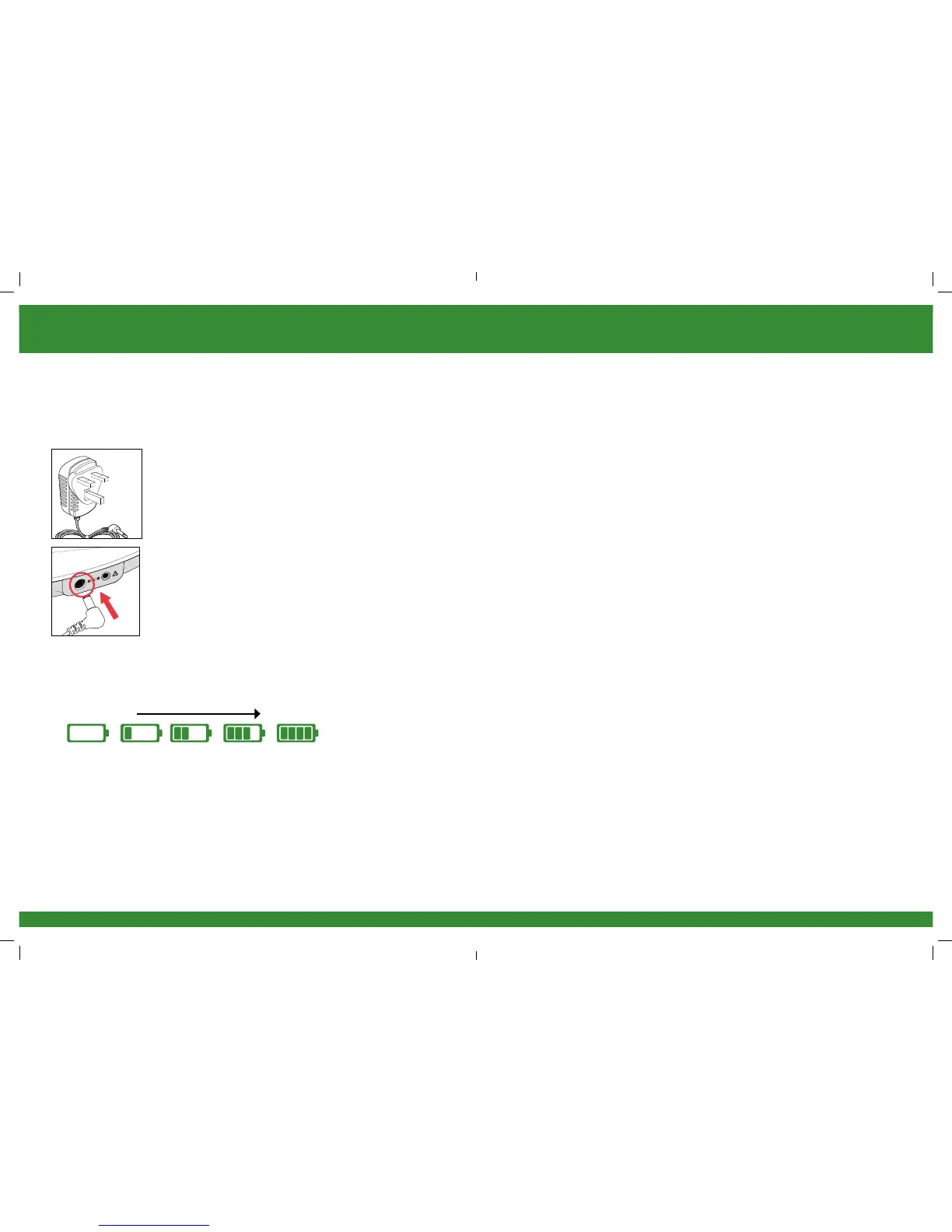
a Locate the AC/DC power adaptor.
b Plug the small end of the power cord into the
opening on the side of the REVITIVE Medic.
STEP 6:
RECHARGING THE BATTERY
REVITIVE Medic can be powered from either the rechargeable battery or by
connecting it to an electrical socket.
c Plug the power adaptor into the nearest electrical socket. This will start charging
the (integrated) rechargeable battery.
The battery indicator will illuminate constantly to indicate the device is charging
and to show the battery level, as below.
A full charge will take approximately 3 hours.
d Once fully charged, the full battery indicator will stay illuminated until the power
adaptor is unplugged from the device or the electrical socket.
A full charge enables approximately 3½ hours of use (the equivalent of one 30
minute session each day for one week).
Please note you can still use the device while it is charging but the battery
indicator will not show.
Low Battery
Full Battery
2301_IFU03_9524382.indd 24-25 08/06/2015 14:05


 To Next Page