16
17
Instructions for use
STEP 4:
USING THE FOOT PADS
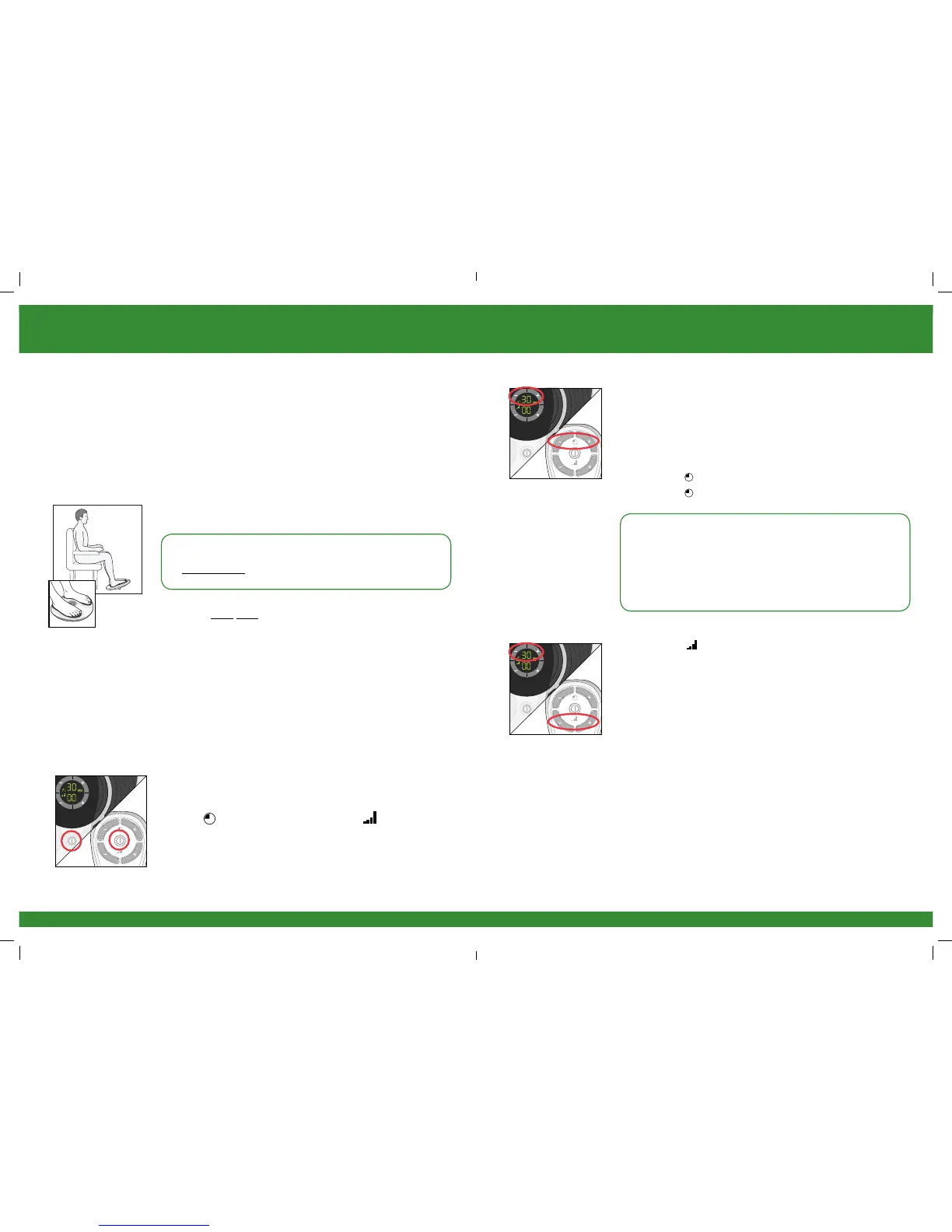
a Get into a comfortable seated position.
For best results sit with your knees at a 90 degree angle
(right angle).
b Place REVITIVE Medic on the floor in front of you.
REVITIVE Medic is designed to be used while seated.
Never stand on the REVITIVE unit.
c Place both bare feet on the foot pads.
Make sure you remove all footwear, including socks/
stockings.
d If desired, apply a moisturising lotion to the soles of
your feet.
Hint: Applying a moisturising lotion to the soles of the
feet before using REVITIVE Medic can help improve the
delivery of electrical stimulation.
e Press the power button on the device or on the remote
control to turn REVITIVE Medic on.
You will hear a beep and the display lights will light up.
The time will read 30 minutes and Intensity will
read 00.
To turn off REVITIVE Medic at any time during operation,
press the power button on the device or on the remote
control.
Sit with
both bare feet
on the foot pads
f Set the time for REVITIVE Medic. The default time is
30 minutes. You can set the timer for up to 60 minutes.
If you do not want to use the default time of 30 minutes,
set the time for the number of minutes you want.
You can use the controls on the control panel or on the
remote control.
Press the (+) Time Control to increase the time.
Press the (–) Time Control to decrease the time.
NB It is recommended to use REVITIVE Medic for
20-30 minutes per day.
Do not use REVITIVE Medic more than 6 sessions of
30 minutes (or the equivalent) per day. This may result
in muscle fatigue.
g Press the (+) Intensity Control, one time, to
start stimulation.
Continue to increase the intensity until you can feel or
see the muscles in your calves contract and relax. You
can set the intensity between 1-99.
You can use the buttons on the device or remote
control.
Press the (+) button to increase the level.
Press the (–) button to decrease the level.
2301_IFU03_9524382.indd 16-17 08/06/2015 14:05


 To Next Page