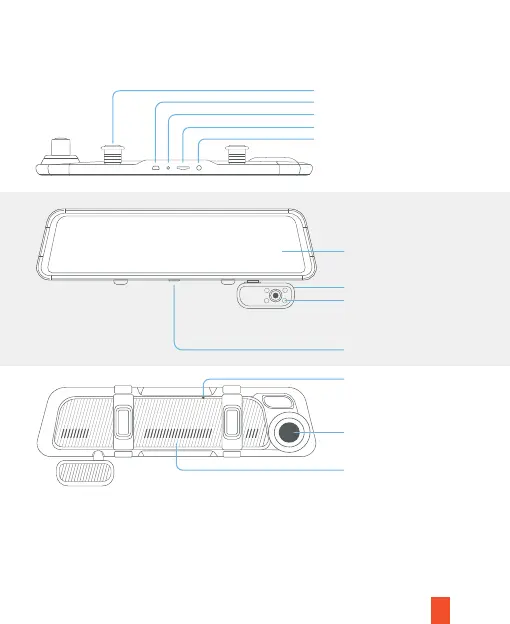
Camera Overview
4
RESET
Note
• The M3 dash cam is powered by a supercapacitor, please always connect to
the power cord to turn on the dash cam
• Press the Power Button to turn On or Off the screen
• Press and hold the Power Button for 3 seconds to turn the device on or off
Front Camera
Microphone
Reset Pinhole
Rubber Mounting Strap
Mini USB Power Port
Rear Camera Port
MicroSD Card Slot
GPS Port
12" Display/Touchscreen
Power Button
Infrared Lights (Invisible to the
eye, will automatically turn on or
off according to the brightness of
light in the vehicle)
Rotatable Cabin Cam



 To Next Page