12
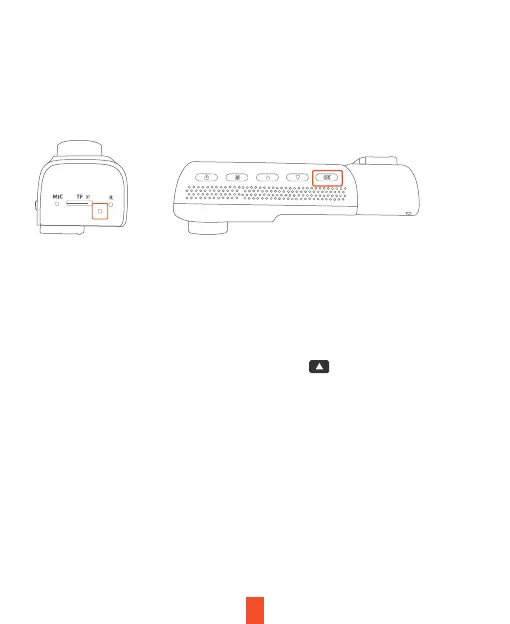
The camera automatically starts recording when powered on
Video Recording
The camera will automatically start recording when the device receives
charge. The LED lights and red dot will blink device when recording.
Press the OK button to stop recording.
Locked Video
To use the Emergency Record Mode, hold the button to
manually lock the current video clip.
View locked recordings by pressing the menu/playback button.


 To Next Page