13
Wi-Fi Connect
Step 1
With your dash cam powered on, hold the UP navigation button to enable
the Wi-Fi function. The Wi-Fi name (aka the SSID) and password for the dash
cam should be displayed on-screen.
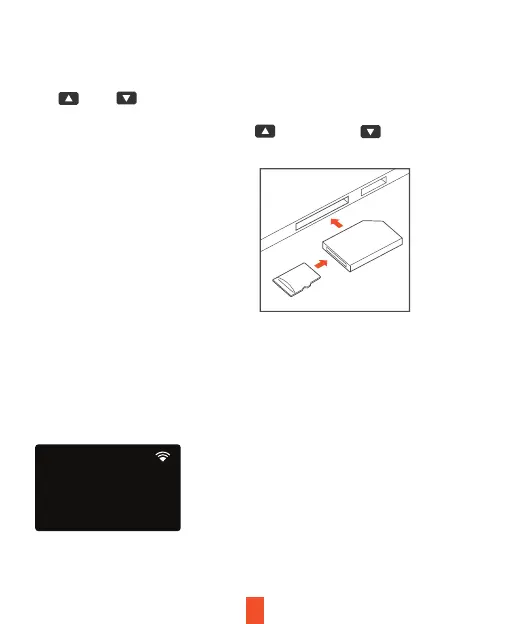
To playback a video on the
computer, either use an SD card
adapter or connect the device to
the computer directly using the
USB cable.
To playback a video using an SD
card adapter, remove the
memory card and insert it into an
SD card adapter. Place the
adapter in the computer.
Video Playback
Playback of videos can be done on the device or a computer. To playback
a video on the device hold M button to toggle to the Playback mode. Use
the and buttons to toggle to the desired video. Press the OK
button to play.
During playback use the OK (pause), (rewind) and (fast forward)
buttons to control the video playback.
SSID: B50D_bb92
Wi-Fi Not Connected
Password: 12345678
Wi-Fi


 To Next Page