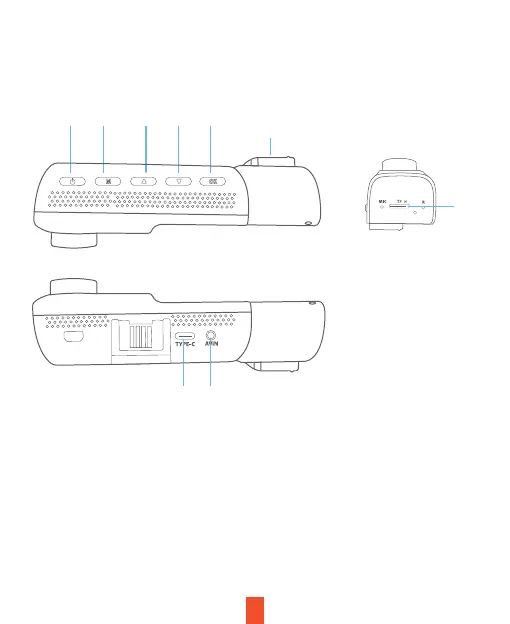
Camera Overview
4
6. USB-C Charging Port
7. Micro SD Card Slot
8. Rear Camera Port
9. Cabin-facing camera
1. Power Button / Screen Toggle Button
2. Menu Button / Mode Button
3. Up Navigation Button / Wi-Fi on/off /
Emergency Lock Button(Hold)
4. Down Navigation Button
/Microphone on/off(Hold)
5. OK (Confirm) Button / Record Button
6 8
9
1 2 3 4 5
7


 To Next Page