7
Step 2
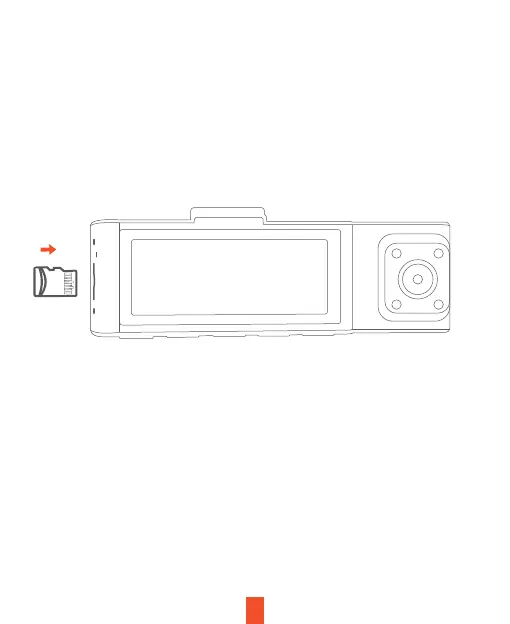
Insert the Memory Card
The Rexing R316 accepts [Class 10/UHS-1 or higher] Micro SD memory cards
up to 256GB. You will need to insert a memory card before you can begin
recording. Before inserting or removing a memory card, first ensure you’ve
powered down the device. Gently push the memory card in until you hear
a click, and allow the spring release to push the card out.


 To Next Page