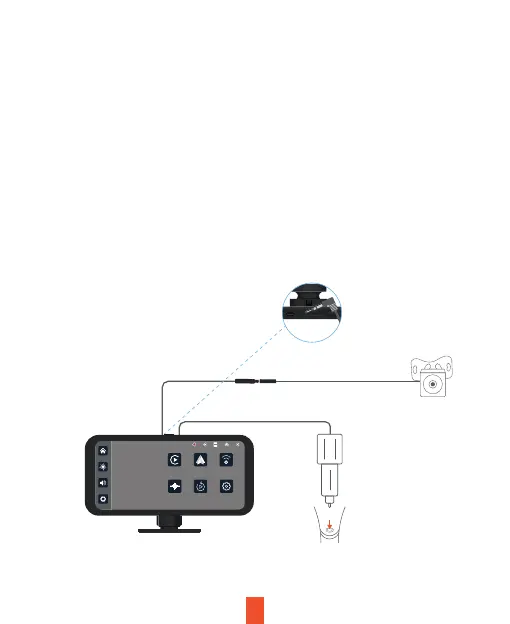
4.4 Connect to the Main Unit:
Connect the other end of the extension cable to the power input and
video input ports on the main unit or display screen.
4.5 Secure Loose Wires:
Use cable clips or ties to secure any loose wiring to prevent them from
hanging or interfering with other vehicle components.
9
Step 5. Power on the Device
Power on the rear camera and main unit to test the connection.
Ensure that both power and video signals are transmitted correctly.
Plug charger into
power outlet or
cigarette lighter
Thursday 07 December
Apple Carplay
Audio output Playback Settings
Android Auto Wi-Fi Video
11:10


 To Next Page