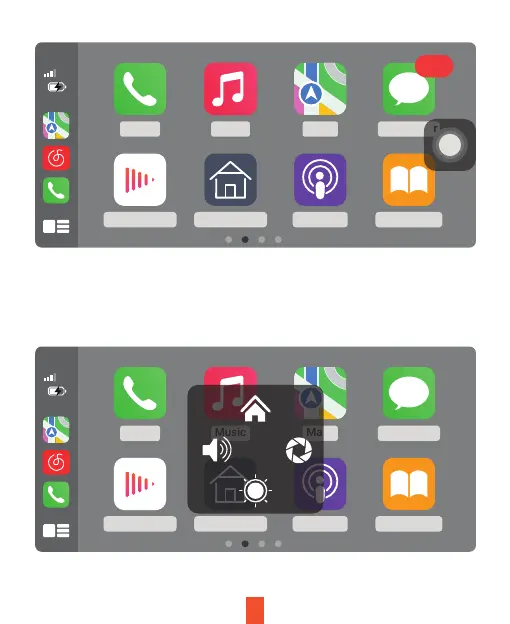
Click Assistive Touch to display the shortcut menu: [Back to Home], [Record
Video Screen], [Volume Adjustment], [Brightness Adjustment].
10:33
5G
Phone Music Maps Messenger
AudiobooksPodcastsSmartScreenNow Playing
10:33
5G
Phone Music Maps Messenger
AudiobooksPodcastsSmartScreenNow Playing
115
12


 To Next Page