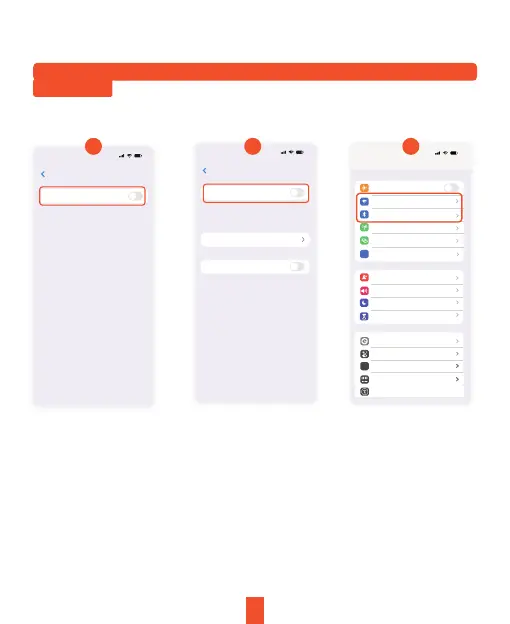
Note:
Apple CarPlay is supported only with iPhone models starting from the iPhone
5 and newer. Please turn off the Bluetooth button and then the WiFi button in
your phone's settings to disconnect.
11:40
Bluetooth
Settings
Bleutooth
AirDrop, AirPlay, Find My, and Location
Services use Bluetooth.
Edits
Off
Airplane Mode
AA
Notification
Sound & Haptics
Focus
Screen Time
General
Control Center
Display & Brightness
Home Screen
Accessibility
WLAN
Bluetooth
Cellular
Personal Hotspot
VPN
VPN
Off
Not Connected
11:40
Settings
11:40
WLAN
Settings Edits
WLAN
Enable WAPI
AirDrop, AirPlay, Notify When Left
Behind, and improved location accuracy
require WLAN.
Apps Using WLAN & Cellular
1 2 3
13


 To Next Page