To use the Emergency Record Mode, press the “OK/EMR” button to manually record a 20 second video that is
automatically saved and locked. View EMR recordings by pressing the menu/playback button.
Video Playback
Playback of videos can be done on the device or a computer. To playback a video on the device, toggle to the
Playback mode. Use the REC and MIC buttons to toggle to the desired video. Press the OK button to play. During
playback use the OK (pause), REC (rewind) and MIC (fast forward) buttons to control the video playback.
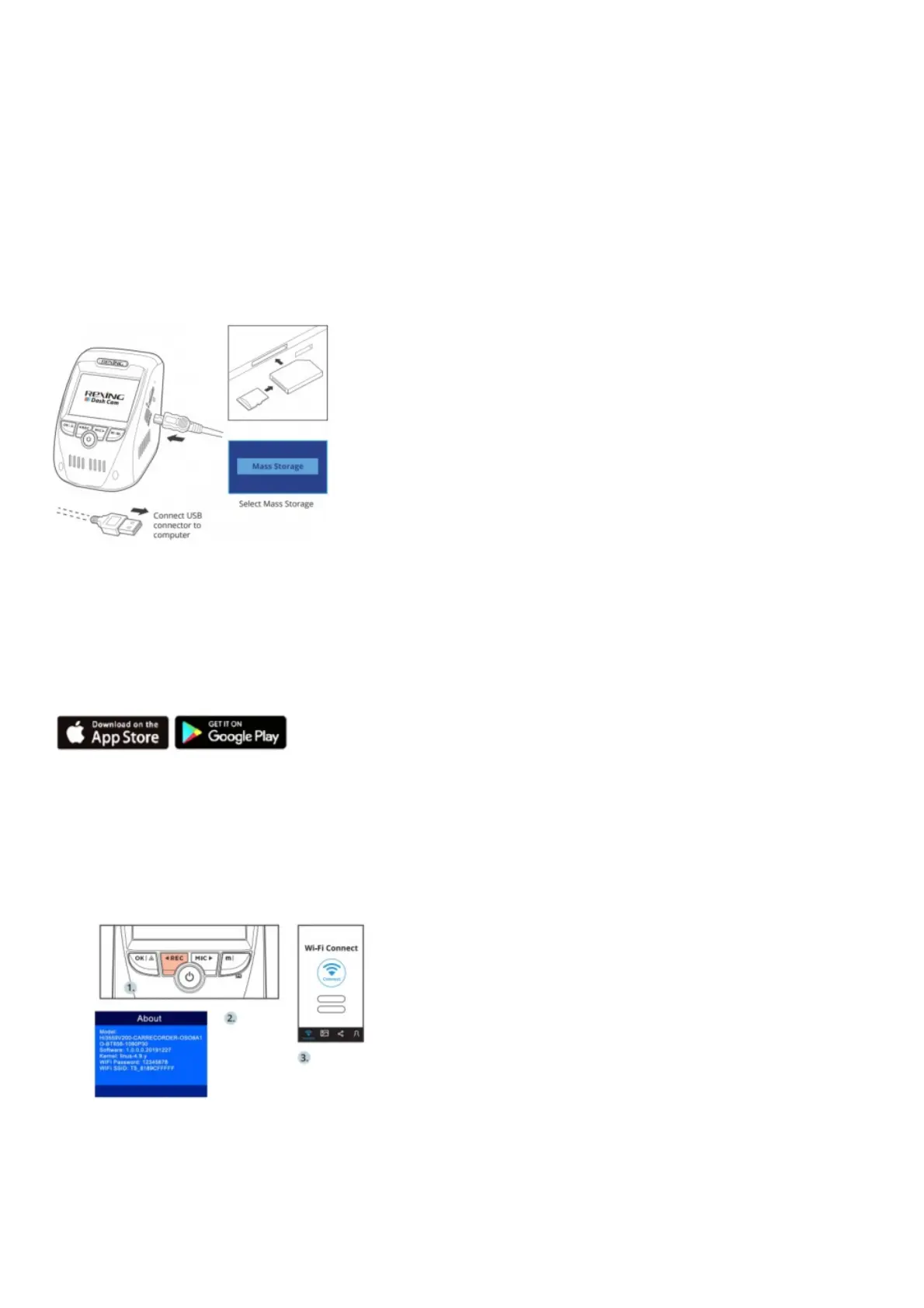
To playback a video on the computer either use an SD card adapter or connect the device to the computer directly
using the USB cable.
To playback a video using an SD card adapter , remove the memory card and insert it into an SD card adapter.
Place the adapter in the computer.
To playback a video using USB cable,connect the USB Cable to the device and the computer. After the device
powers up, press the OK Button to select Mass Storage.
On the computer, navigate to device drive. The videos are stored at: the “Front_xxx” and “Back_xxx” subfolders
respectively. Locked videos can be found on the memory card under the “front_emr” and “back_emr” folder.
Wi-Fi Connect
Download “Rexing Connect” app from the App Store/Google Play Store.
1. To access or exit the Wi-Fi feature, press the menu button/playbackbutton twice to access system settings. Find
“Wifi” from the list, tap OK Button , set the Wi-Fi feature “ON” and “OFF”. Find “SSID” from the system setting >
About.
2. Open Wi-Fi settings on your phone, find “SSID” from the list, tap to connect. (Default password: 12345678)
3. Open the Rexing Connect app, tap “Connect” to enter the realtime video streaming page.
4. Once connected, the dash cam screen will switch to thecamera view and will display “WiFi Connected”
message.Using the Rexing Connect app, you can view a live previewof the dash cam screen, start / stop
recording, as well asview and save your captures with your mobile device.
For further instruction regarding the Wi-Fi Connect feature, please visit www.rexingusa.com/wi i-connect/.
GPS Logger



 To Next Page