pcProx
®
and AIR ID® Enroll Readers
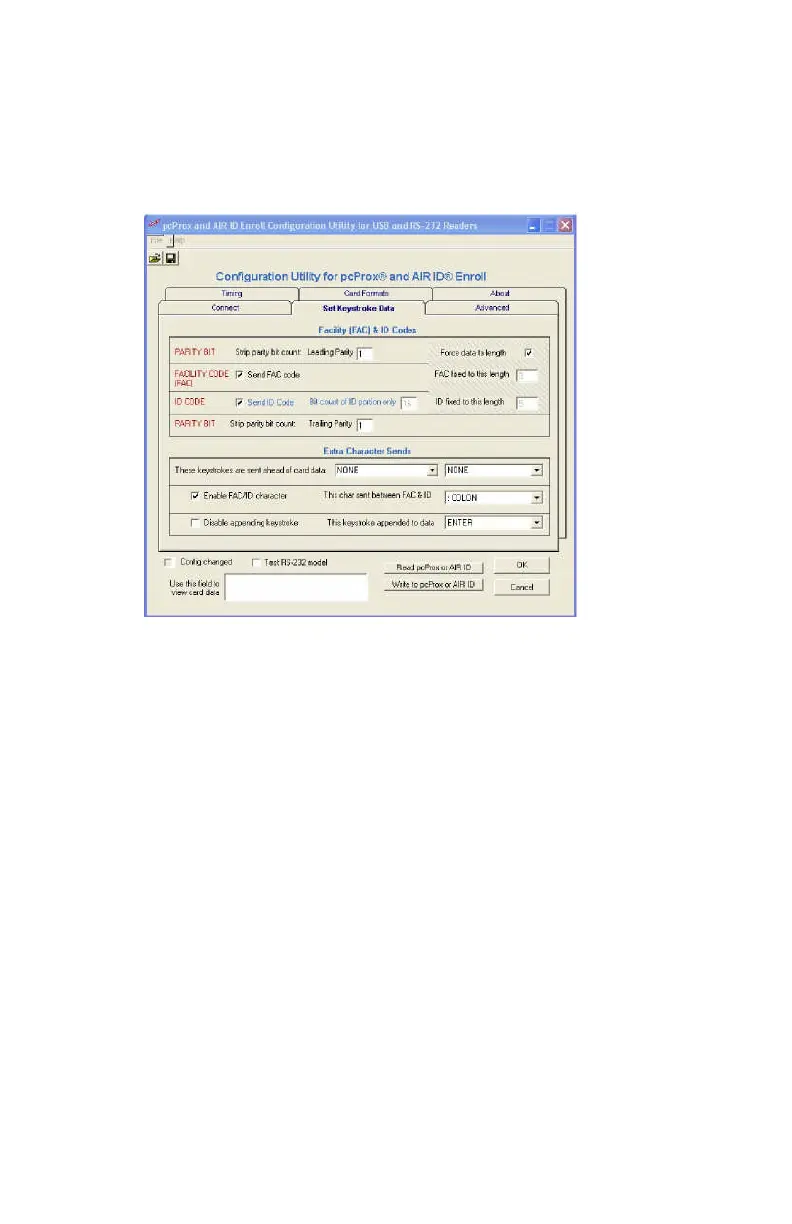
Set Keystroke Data
FAC & ID Data
This top section of this tab is organized in a manner
consistent with the way the card data is organized on
generic proximity cards; Leading parity + facility code+ ID
code + trailing parity code.
The bottom section allows the user to specify keystrokes
to be added at the beginning, in the middle, or at the end of
the card’s data.
Strip Leading Parity bit count
The indicated number of Leading Parity bit(s) are
ignored. There are typically only 1 or 2 leading parity
bits.
Send FAC code
Selecting this checkbox will cause the FAC code to be
sent.



 To Next Page