© 1998-2006 RF IDeas, Inc.
Auto-Run Operation
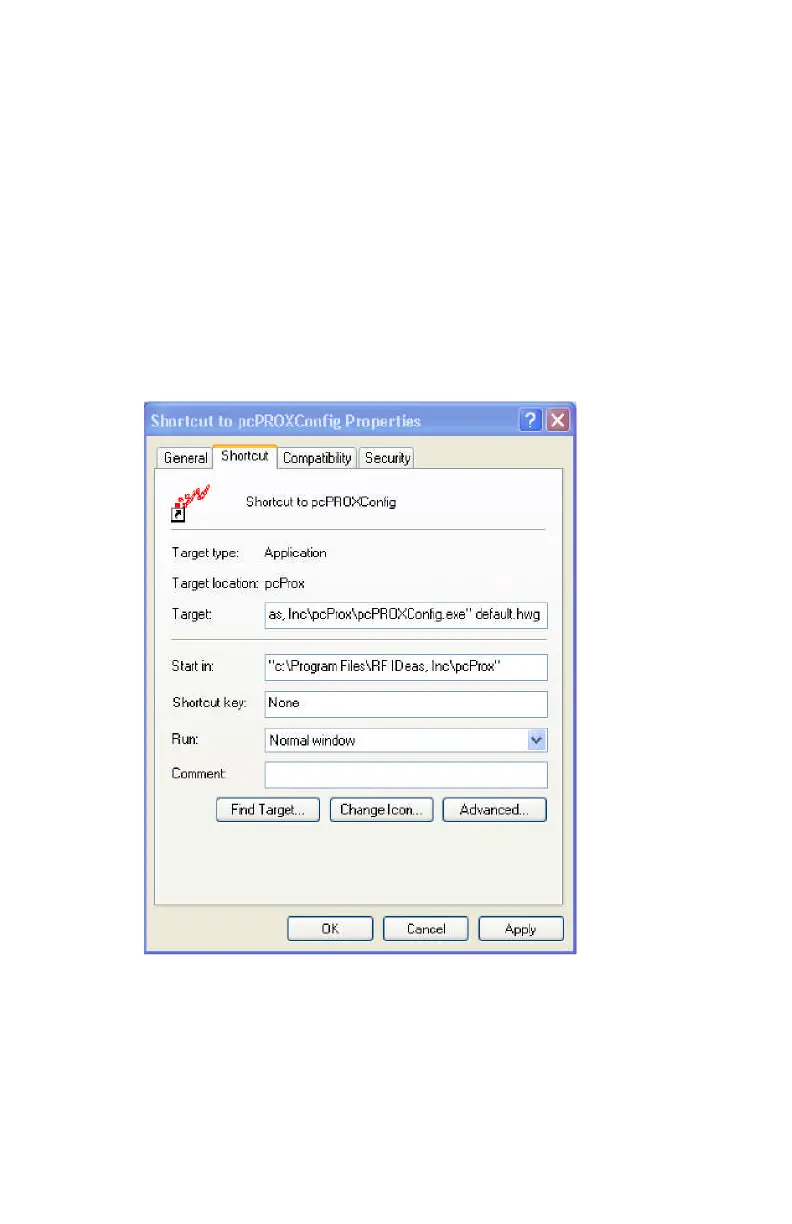
In auto mode, the user specifies a configuration file (ex.
Default.hwg) using a shortcut properties link as defined in
the Windows environment.
First, the user makes all desired configuration settings.
Second, once the settings are defined, the user creates a
(.HWG) by using the Save As selection under the File
menu system.
Third, the user needs to create a shortcut link and
specify the (.HWG) configuration file in this link.
Shortcut links can be created using the Windows
Explorer, selecting the pcProxConfig.exe file and then



 To Next Page