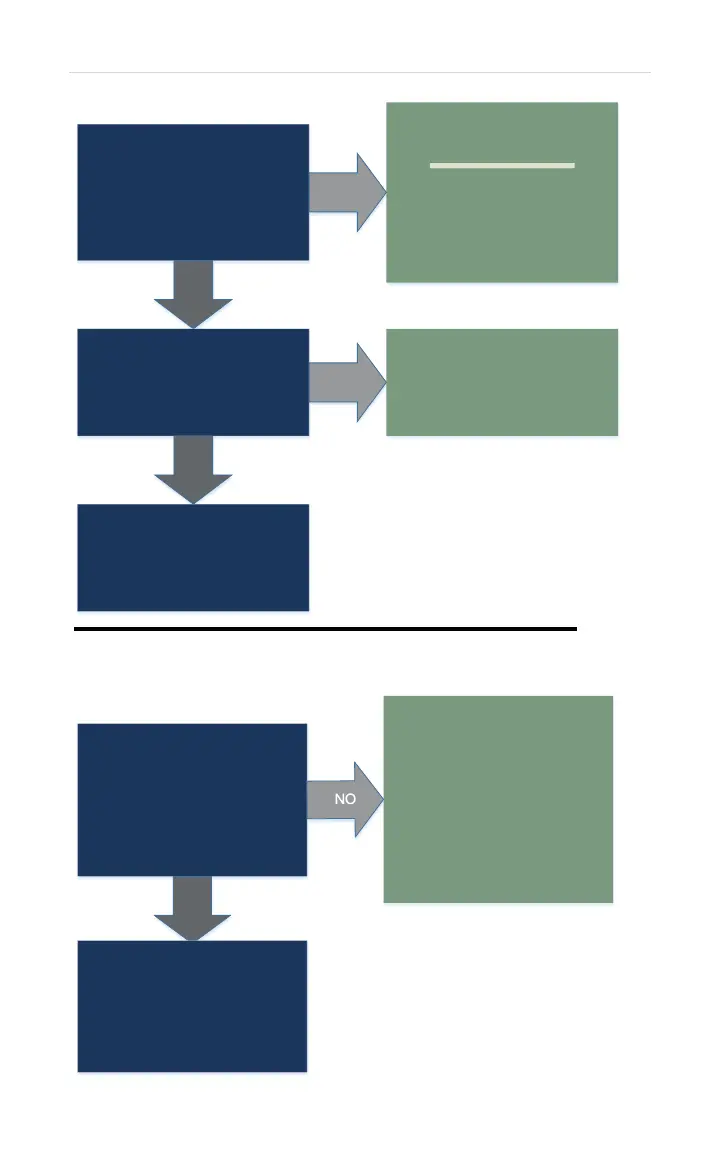
Turn power OFF. Remove
connector U. Measure
resistance across both White
wires:
50K – 500K OHMS
YES
Mid Efficiency ONLY:
Replace Unit.
High Efficiency
Indoor ONLY:
Continue to over
temp switch diagnostics.
(bottom of page)
NO
Reconnect connector U.
Attempt to operate unit.
YES
Unit had a loose connection.
Operation appears to be
normal.
IF error code 14 appears:
Replace control board.
NO
Disconnect two White Molex
connectors for the over temp
limit switch.
On female end of Molex,
check continuity across both
Black wires.
YES
Switch automatically resets
once it cools down.
Allow limit switch to
cool down. IF switch does
NOT have continuity
once unit cools down:
Replace over temp
limit switch.
IF switch automatically
resets, check VENTING.
Limit switch possibly cooled
down. Operate unit.
IF error code 14 appears and
you have continuity through
Over Temp Limit Switch:
Replace Unit.


 To Next Page