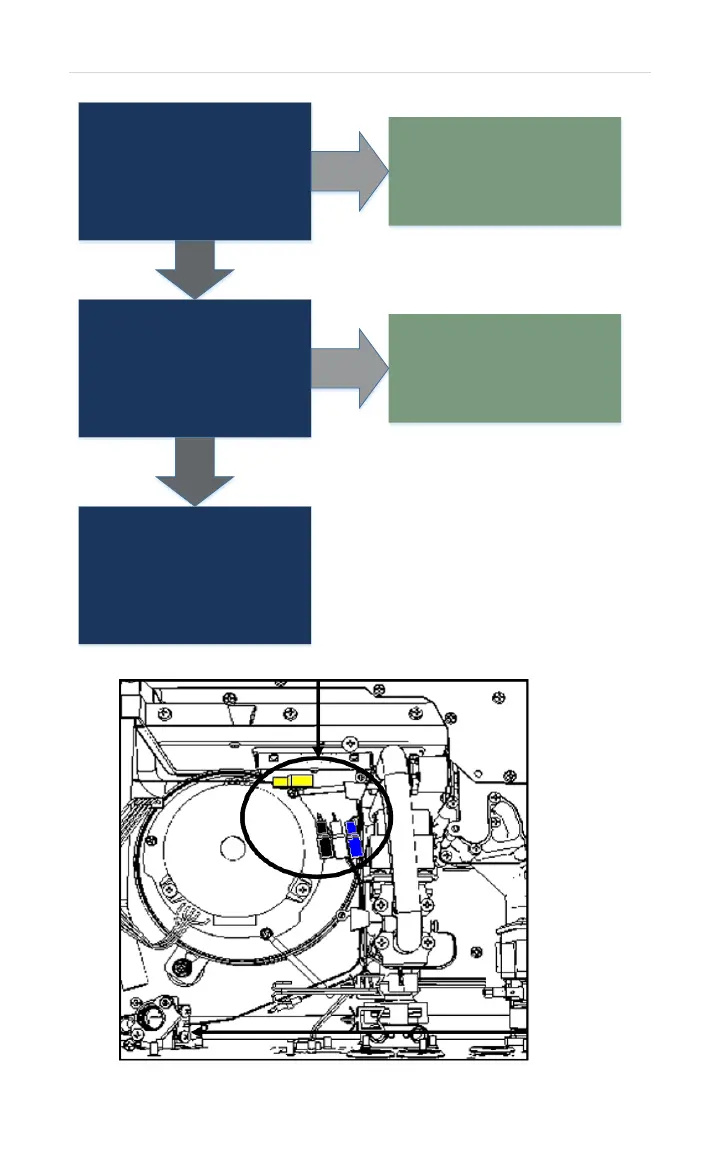
Locate & separate WHITE
Molex (located near blower
motor). Check resistance
across White wires on female
end of Molex:
7K – 23K Ohms
YES
Clean scale build-up on inlet
thermistor. Operate unit. IF
Error Code 31 appears:
Replace inlet thermistor.
NO
Reconnect Molex. Check
resistance on connector R
between #3 wire (Black) and
#6 wire (White):
7K – 23K Ohms
YES
Replace wiring harness for
connector R.
NO
Reinsert connector R.
Operate unit.
IF 31 - Error Code
appears:
Replace control board.


 To Next Page