Procedure for Sending E-mails
73
6
Manual input of the subject
directly
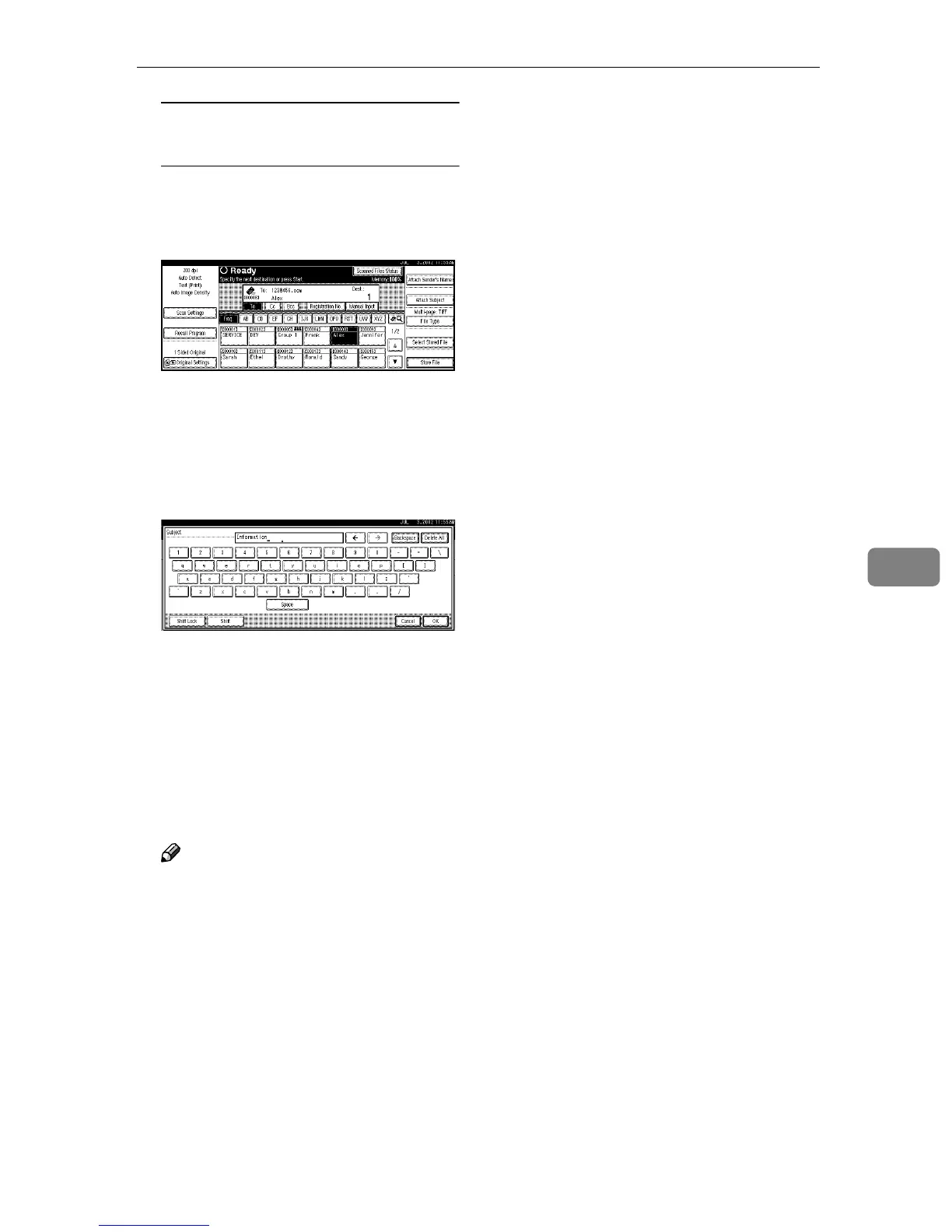
A Press [Attach Subject].
The list of registered subject is
displayed.
B Press [Manual Input].
The soft keyboard is displayed
to enter a subject.
C Enter the subject with the soft
keyboard.
D Press [OK].
The name of the subject is dis-
played above [Attach Subject].
K
KK
K
Press the {
{{
{Start}
}}
} key.
The original is scanned and the
scan data file is sent to the destina-
tion(s).
Note
❒ To abort the scan process, press
the {
{{
{Clear/Stop}
}}
} key or press
[Stop] on the screen.
❒ To use the SADF function, set
up the next original. ⇒ p.44
“Placing the Divided Original
in the Automatic Document
Feeder (ADF)”
❒ Regardless of the divide e-mail
size setting, it is not possible to
send e-mail containing over
725.3MB per document. It is
also not possible to send more
than 2,000 pages.







 To Next Page