Security Settings
60
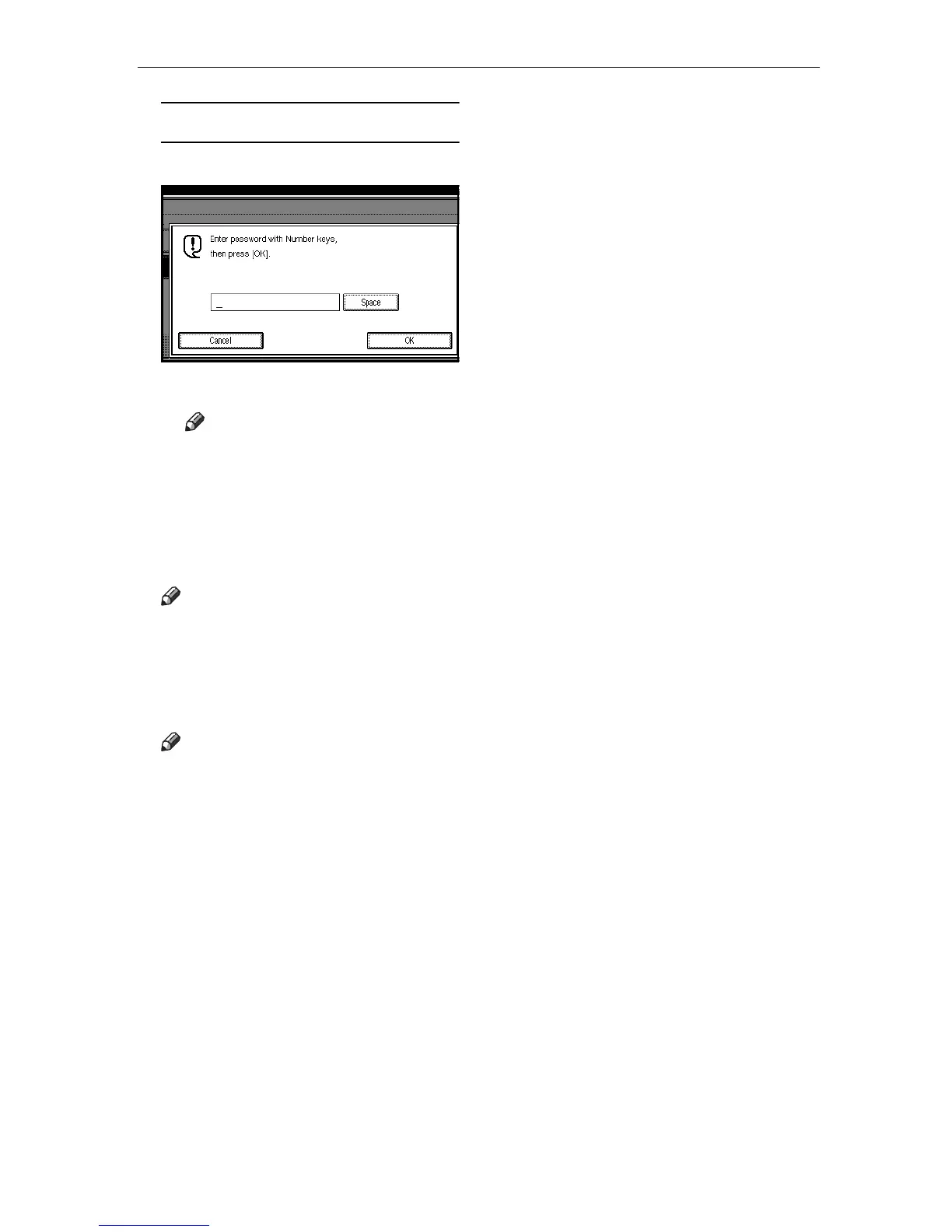
When password is required
A Enter a password.
B Press [OK].
Note
❒ If you make a mistake, press
the {
{{
{Clear/Stop}
}}
} key or [Clear]
and try again.
D
DD
D
Press the {
{{
{Start}
}}
} key.
The received messages are printed.
Note
❒ To stop printing, press [Stop
Printing]. The display will return
to step C.
E
EE
E
Press [Exit].
Note
❒ If there are messages in other
Personal Boxes, the display will
return to step C. Repeat from
step C to print another file.
F
FF
F
Press [Exit].
The initial display is shown.




 To Next Page