Key Operator Tools (for Administrator)
61
Key Operator Tools (for Administrator)
Key Operator Tools include security
settings. You can program a Key Op-
erator Code to prevent unauthorized
persons from changing User Tools
settings or finding a password. Make
sure you enter a Key Operator Code
using an eight-digit number to ensure
security.
With User Tools, the following securi-
ty settings can be made:
• Programming a Key Operator Code
• Displaying a password with a stored
file
• Programming the IP address of a
delivery server
• Programming and editing Personal
Boxes
-
--
-
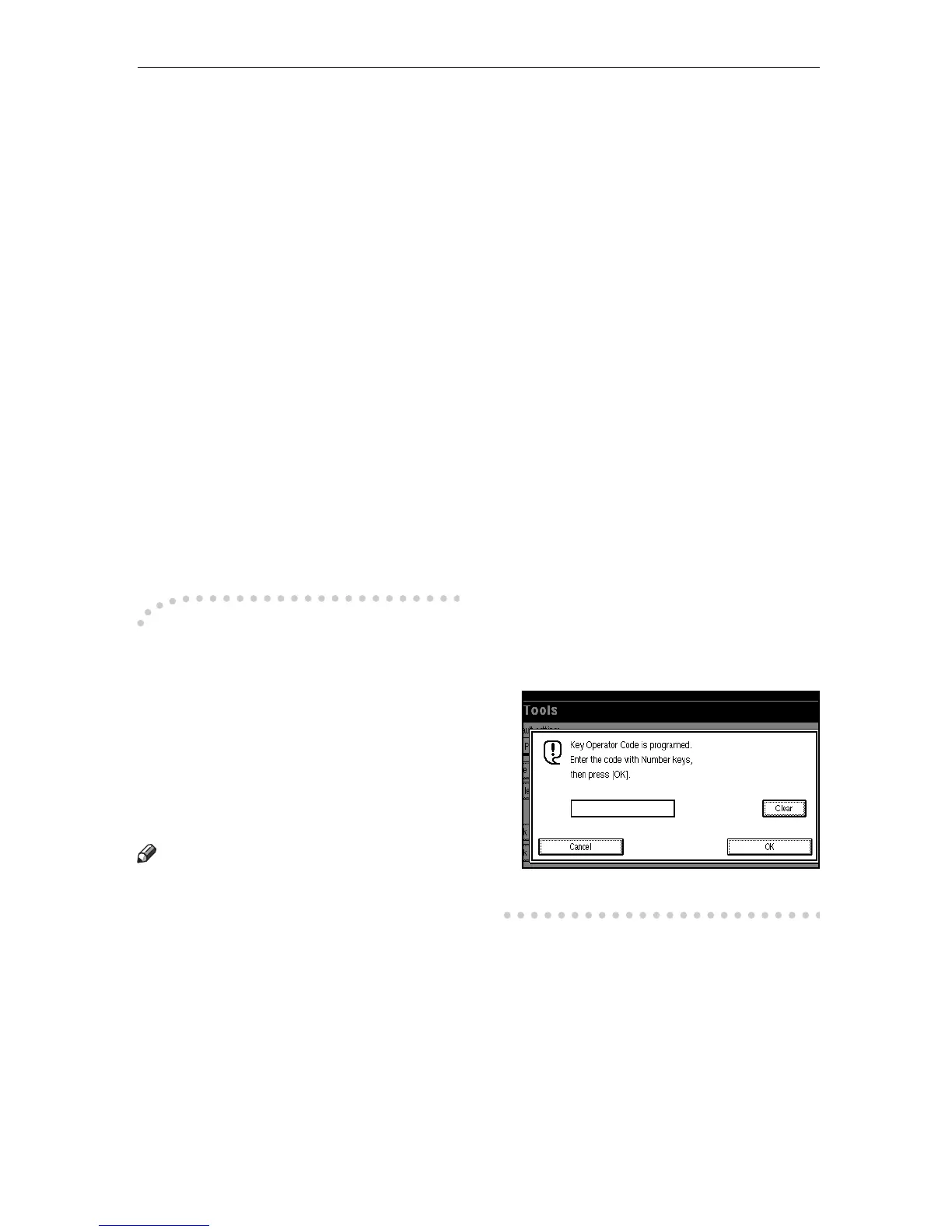
The display that appears when
a Key Operator Code has
been programmed
When Key Operator Code is programed
and turned on, users have to enter a
programed Key Operator Code to oper-
ate the User Tools and Key Operator
Tools. This prevents unauthorized peo-
ple from changing registrations.
Note
❒
You can change the Key Operator
Code on or off with "System Settings".
❒ When you set the Key Operator
Code active, enter a code with the
number keys and select
[
Partial
]
or
[
All Initial Settings
]
to limit access.
The factory default is set to "Par-
tial". Make sure you enter a Key
Operator Code using an eight-dig-
it number to ensure security.
• Selecting
[
Partial
]
Only the Key Operator Tools
are protected with a Key Opera-
tor Code.
• Selecting
[
All Initial Settings
]
The key Operator Tools and
User Tools are protected with a
Key Operator Code.
A
Press the
{
{{
{
User Tools/Counter
}
}}
}
key.
If you have selected
[
All Initial Set-
tings
]
, go to step
C
.
B
Select
[
Key Operator Code
]
.
C
Enter 8 digit Key Operator Code
with the number Keys.




 To Next Page