EasyManua.ls Logo

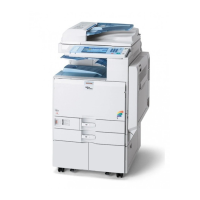
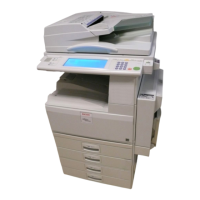
Ricoh Aficio 3025 - User Manual

Ricoh Aficio 3025
182 pages
Print Icon
To Next Page IconTo Next Page
Loading...
Operating Instructions
General Settings Guide
Read this manual carefully before you use this machine and keep it handy for future reference. For safe and correct use, be sure to read the
Safety Information before using the machine.
Getting Started
Combined Function Operations
Document Server
User Tools (System Settings)
Registering Addresses and Users for Facsimile/Scanner Functions
Troubleshooting
Remarks
Entering Text
Specifications
1
2
3
4
5
6
7
8
9

Table of Contents

Other manuals for Ricoh Aficio 3025

Questions and Answers

  • C
    Casey JonesJul 26, 2025
    What to do if my Ricoh All in One Printer cannot detect original size?
    • A
      amy95Jul 26, 2025
      If your Ricoh All in One Printer cannot detect the original size, ensure that you have placed the originals correctly. For custom size originals, place them on the exposure glass. If the issue persists, input the horizontal and vertical size of the custom size original. Also, select paper manually instead of using the Auto Paper Select function and avoid using the Auto Reduce/Enlarge function.
  • M
    Michael BrayAug 1, 2025
    Why is the display off on my Ricoh All in One Printer?
    • K
      Kaitlin FrazierAug 1, 2025
      There are several reasons why the display of your Ricoh All in One Printer might be off: * The screen contrast knob might be turned to the dark position. Adjust the screen contrast knob to the light position. * The machine could be in Energy Saver mode. Press the {Energy Saver} key to exit Energy Saver mode. * The operation switch might be off. Turn on the operation switch.
  • K
    Kelli WardAug 7, 2025
    What to do if nothing happens when I turn on the operation switch on my Ricoh Aficio 3025?
    • J
      John NguyenAug 7, 2025
      If nothing happens when you turn on the operation switch of your Ricoh All in One Printer, the main power switch is likely turned off. Turn on the main power switch.
  • T
    Timothy SchneiderAug 13, 2025
    What to do if I cannot switch screens on my Ricoh Aficio 3025 All in One Printer?
    • R
      Ricky HicksAug 13, 2025
      If you can't switch to another screen by pressing the {Facsimile} or {Scanner} key on your Ricoh All in One Printer, it means that functions other than the copier function are not yet ready. Wait a little longer.
  • J
    John HenryAug 19, 2025
    Why are items missing from the User Tools menu on my Ricoh Aficio 3025?
    • W
      William WhiteAug 19, 2025
      If the User Tools menu on your Ricoh All in One Printer is missing items after turning on the machine, it indicates that functions other than the copier function are not yet ready. The time required varies by function. The functions will appear in the User Tools menu when they are ready for use, so wait a little longer.

Ricoh Aficio 3025 Specifications

General IconGeneral
Print TechnologyLaser
Print Speed25 ppm
Max Resolution600 x 600 dpi
Max Paper Capacity3, 100 sheets
Automatic DuplexingYes
Copy Speed25 cpm
Max Copy Resolution600 x 600 dpi
Max Scan Resolution600 dpi
Fax CapabilityOptional
Original SizeUp to A3
Automatic Document Feeder50 sheets
Zoom25 - 400%
Power Source220-240V, 50/60Hz
Fax Transmission Speed33.6 kbps
Maximum Paper SizeA3
Scanner TypeFlatbed
Network ConnectivityEthernet
FunctionsPrint, Copy, Scan
Copy SizeA4, A5
Operating System CompatibilityWindows, Mac

Related product manuals