EasyManua.ls Logo

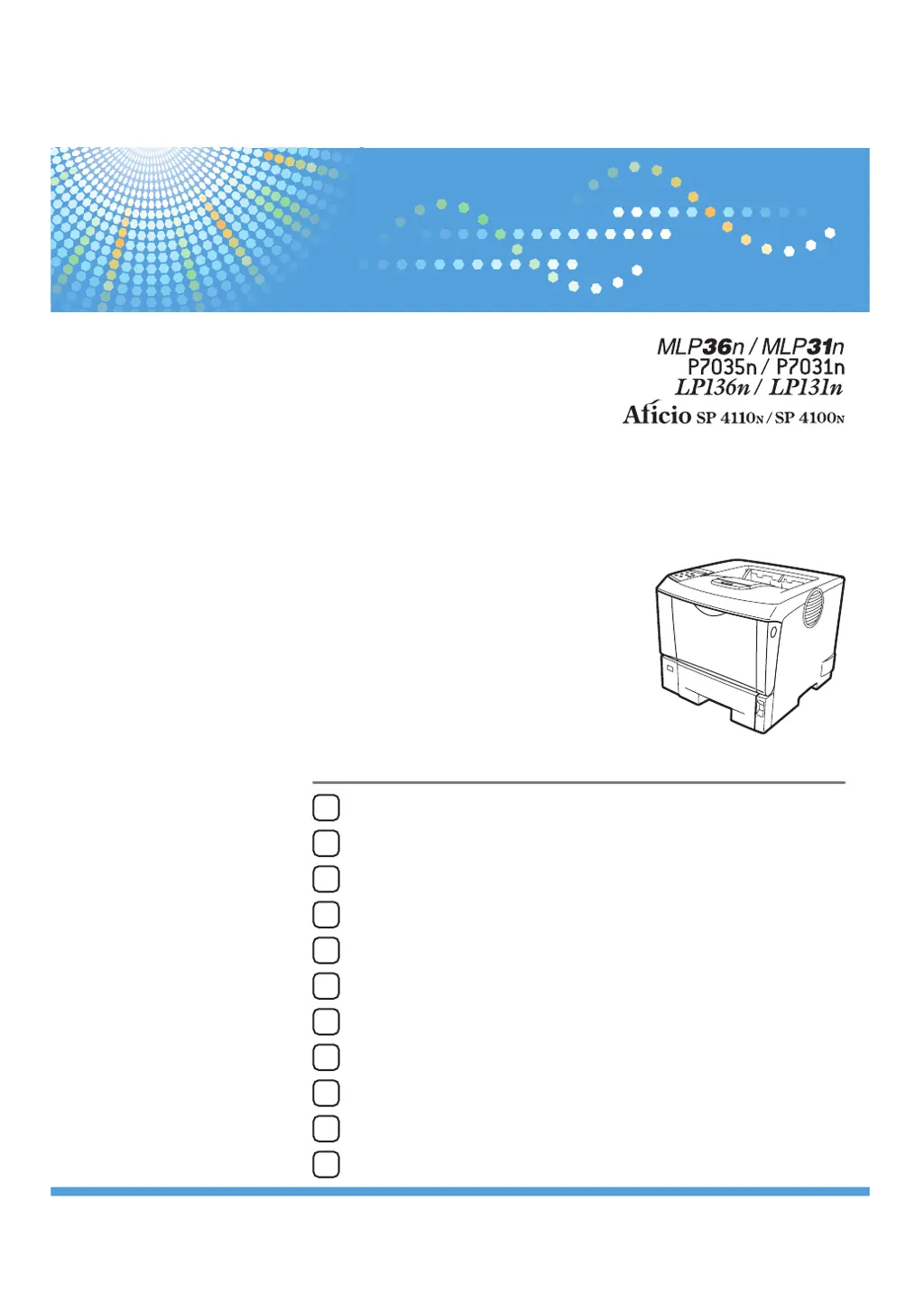
Ricoh Aficio SP4100N - User Manual

Ricoh Aficio SP4100N
204 pages
Print Icon
To Next Page IconTo Next Page
Loading...
10
8
9
11
Guide to the Printer
Installing Options
Connecting the Printer
Configuration
Paper and Other Media
Replacing Consumables and Maintenance Kit
Cleaning the Printer
Adjusting the Printer
Troubleshooting
Removing Misfed Paper
Appendix
1
2
3
4
5
6
7
Read this manual carefully before you use this machine and keep it handy for future reference. For safe and correct use, be sure to read the Safety Information
before using the machine.
Hardware Guide
Operating Instructions

Table of Contents

Questions and Answers

  • M
    Miranda StewartSep 15, 2025
    Why Ricoh Printer says 'Menu Protected Cannot change'?
    • C
      Carla Hayes DDSSep 15, 2025
      If your Ricoh Printer displays 'Menu Protected Cannot change', it means that the control panel has been digitally locked, and settings cannot be changed. This alert message is displayed for 3 seconds before returning to the previous display screen.
  • S
    scottmezaAug 25, 2025
    Why does my Ricoh Aficio SP4100N Printer say 'Load Correct Size Paper'?
    • G
      Gina SanchezAug 25, 2025
      If your Ricoh Printer shows 'Load Correct Size Paper/Paper Size: Paper Type: Press # to continue/Paper Size: Paper Type:', it indicates that the paper size setting on the tray differs from that of the actual paper size in the tray. Change the paper size of the tray where the error has occurred using dial or press the [Form Feed] key.
  • D
    Deborah PetersonAug 25, 2025
    What to do if Ricoh Printer displays 'Irregular Toner'?
    • C
      Clifford PerkinsAug 26, 2025
      If your Ricoh Printer displays 'Irregular Toner', it means that irregular toner is set. Replace the toner to appropriate one.
  • K
    Kristin AcostaAug 26, 2025
    How to fix 'Remove Misfeed Internal Path/Open Front Cover' error on Ricoh Aficio SP4100N Printer?
    • Q
      qgambleAug 27, 2025
      If your Ricoh Printer shows 'Remove Misfeed Internal Path/Open Front Cover', it means paper is jammed in the internal paper feed path. To resolve this, open the front cover and remove the jammed paper.
  • E
    Eric JohnsonSep 16, 2025
    Why does my Ricoh Printer say 'No Files exist'?
    • D
      dunnalexanderSep 16, 2025
      If your Ricoh Printer displays 'No Files exist', it means that there are no files available for deleting or printing. Check the error list to identify the files unavailable for printing.
  • C
    Cheryl CrawfordSep 23, 2025
    Why Ricoh Aficio SP4100N Printer says 'Reset the Job or Form Feed/Paper Size: Paper Type:'?
    • K
      Katherine GarciaSep 23, 2025
      If your Ricoh Printer displays 'Reset the Job or Form Feed/Paper Size: Paper Type:', it means the printer detected that the actual paper type and size are not the same as the paper tray size setting and the paper type setting. Load the indicated tray with the correct paper or change the paper type/size using dial or via the special paper size setting menu on the control panel.
  • D
    Daniel HintonSep 8, 2025
    What does 'Call Service: EC Power Off On' mean on Ricoh Printer?
    • H
      hzamoraSep 8, 2025
      If your Ricoh Printer displays 'Call Service: EC Power Off On/Call Service if error reoccurs', it means that a communication error was sent from the engine to the controller. Turn the power off, and then on. If the message appears again, contact your sales or service representative.
  • M
    mary11Sep 9, 2025
    What to do if Ricoh Printer displays 'Invalid Password Try again'?
    • D
      Dwayne DukeSep 9, 2025
      If your Ricoh Printer displays 'Invalid Password Try again', it means that the invalid password was entered and Locked or Stored Print is incorrect. Enter the correct password.
  • P
    paulhayesSep 2, 2025
    What does 'Hardware Problem HDD' mean on Ricoh Aficio SP4100N Printer?
    • S
      Sean DuranSep 2, 2025
      If your Ricoh Printer displays 'Hardware Problem HDD', it means the printer identified a HDD Board error. Turn the power off, and then on. Remove and re-install the HDD board correctly. If the message appears again, contact your sales or service representative.
  • D
    Denise EdwardsAug 31, 2025
    Why Ricoh Printer says 'Cannot duplex Tray #'?
    • J
      Julie RobinsonAug 31, 2025
      If your Ricoh Printer displays 'Cannot duplex Tray #', it means the selected tray is set to one sided tray when duplex mode is set. Cancel duplex mode, or press the [Form Feed] key to select another tray, or cancel the job.

Summary

Connecting the Printer

Network Connection

Instructions for connecting the printer to a computer network via Ethernet.

USB Connection

Steps for establishing a direct connection between the printer and a computer using USB.

Configuration

Ethernet Configuration

Settings for configuring the printer's network interface via Ethernet.

IEEE 802.11 b (Wireless LAN) Configuration

Instructions for setting up the printer for wireless network connectivity.

Configuring WPA (802.1 X)

Detailed steps for setting up WPA authentication using 802.1X for enhanced security.

Paper and Other Media

Loading Paper

Step-by-step instructions for correctly loading paper into various printer trays.

Replacing Consumables and Maintenance Kit

Replacing the Toner Cartridge (Print Cartridge)

Guides on how to remove and replace the printer's toner cartridge.

Replacing the Maintenance Kit

Instructions for replacing the printer's maintenance kit components.

Troubleshooting

Error & Status Messages on the Control Panel

Explains various messages displayed on the printer's control panel.

Printer Does Not Print

Steps to diagnose and resolve issues when the printer fails to print.

Paper Misfeeds Occur Frequently

Common causes and solutions for frequent paper jams and misfeeds.

Removing Misfed Paper

Removing Misfed Paper

General guidelines and warnings for safely removing jammed paper.

Ricoh Aficio SP4100N Specifications

General IconGeneral
BrandRicoh
ModelAficio SP4100N
CategoryPrinter
LanguageEnglish

Related product manuals