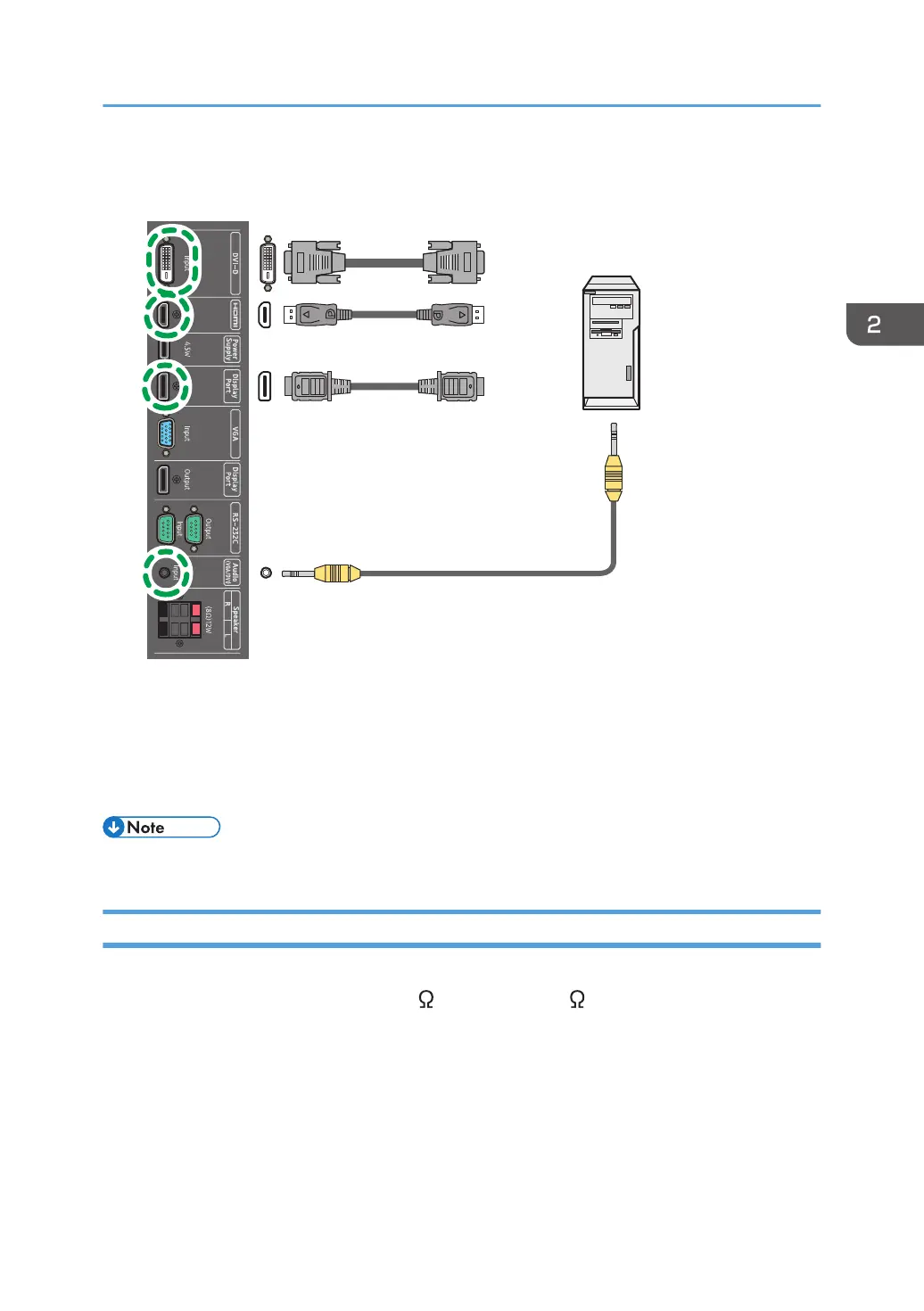
3. To view video image from this input, press the HDMI, DP, or DVI button on the remote
control. To select an appropriate audio source, see page 27 "Sound Menu" for details.
*1 DVI cable
*2 HDMI cable
*3 DisplayPort cable
*4 Audio cable
• The cables other than HDMI cable are not supplied and should be purchased separately.
Connecting External Speakers
The built-in amplifier on the machine allows you to output audio signals through external speakers.
Connect external speakers to the Speaker R(8 )12W/Speaker L(8 )12W jacks on the machine.
Connecting Audio/Video Signals
13



 To Next Page