Troubleshooting When Using the Copy Function
32
2
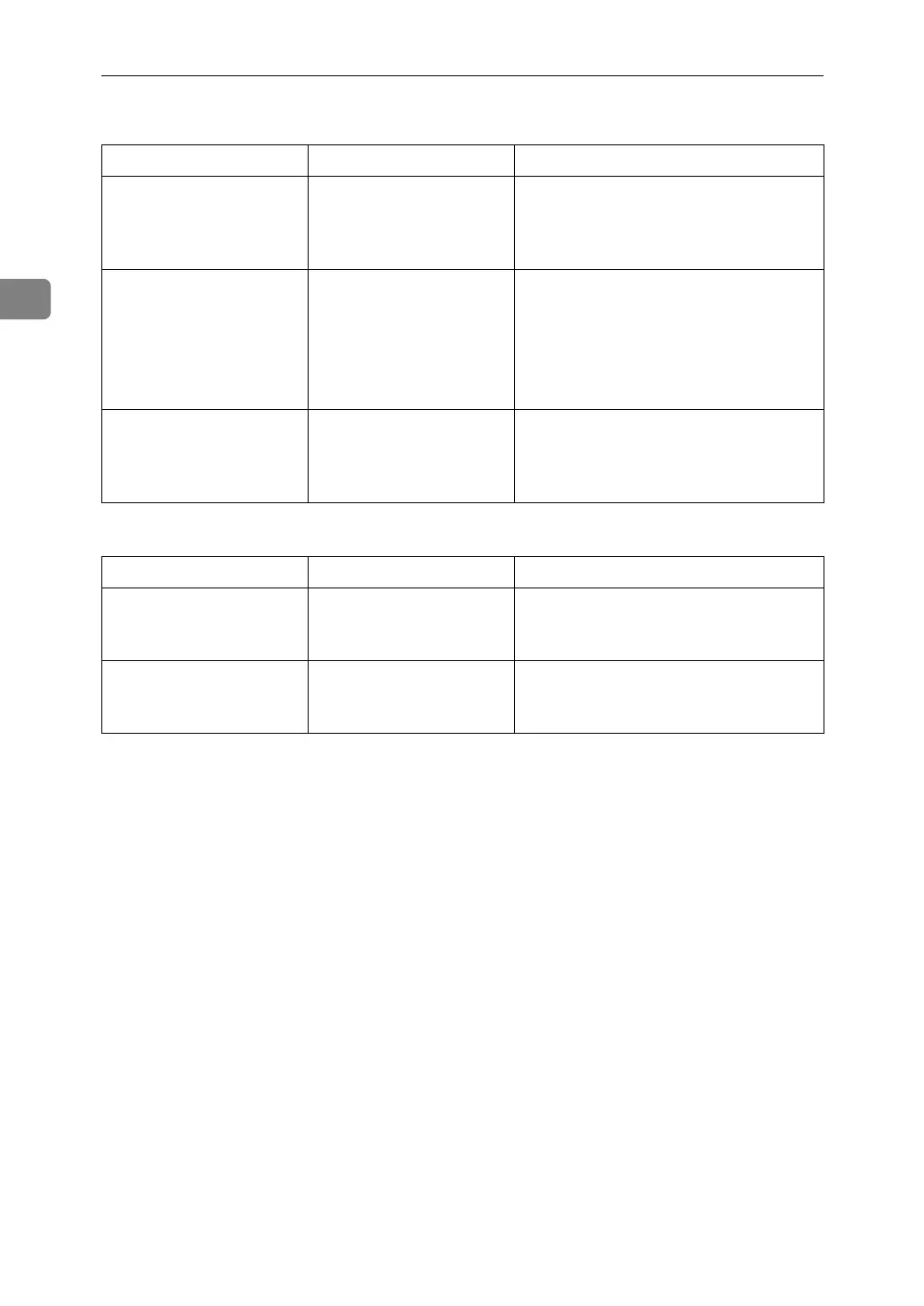
❖ Duplex
❖ Connect Copy
Problem Cause Solution
Cannot print in duplex
mode.
You have selected a tray
which is set to [1 Sided
Copy] in [Tray Paper Set-
tings] in [System Settings].
Set the tray to [2 Sided Copy] in [Tray Pa-
per Settings] in [System Settings]. See
“System Settings”, General Settings
Guide.
Copies are not in correct
order.
You placed the originals
in the incorrect order.
When placing a stack of originals in the
ADF, the last page should be on the bot-
tom.
If you place an original on the exposure
glass, start with the first page to be cop-
ied.
When using Duplex,
copy is made Top to Bot-
tom even though [Top to
Top] is selected.
You placed the originals
in the wrong orientation.
Place the original in the correct orienta-
tion. See “Original Orientation”,
Copy/Document Server Reference.
Problem Cause Solution
You cannot staple,
punch, or Z-fold.
The main and sub-ma-
chines do not have the
same option installed.
Press [Connect Copy] to cancel Connect
Copy.
You get different copy re-
sults from the main and
sub-machines.
The Copy Quality setting
differs on the two ma-
chines.
Make the same Copy Quality setting
one the two machines.



 To Next Page