Loading paper
71
5
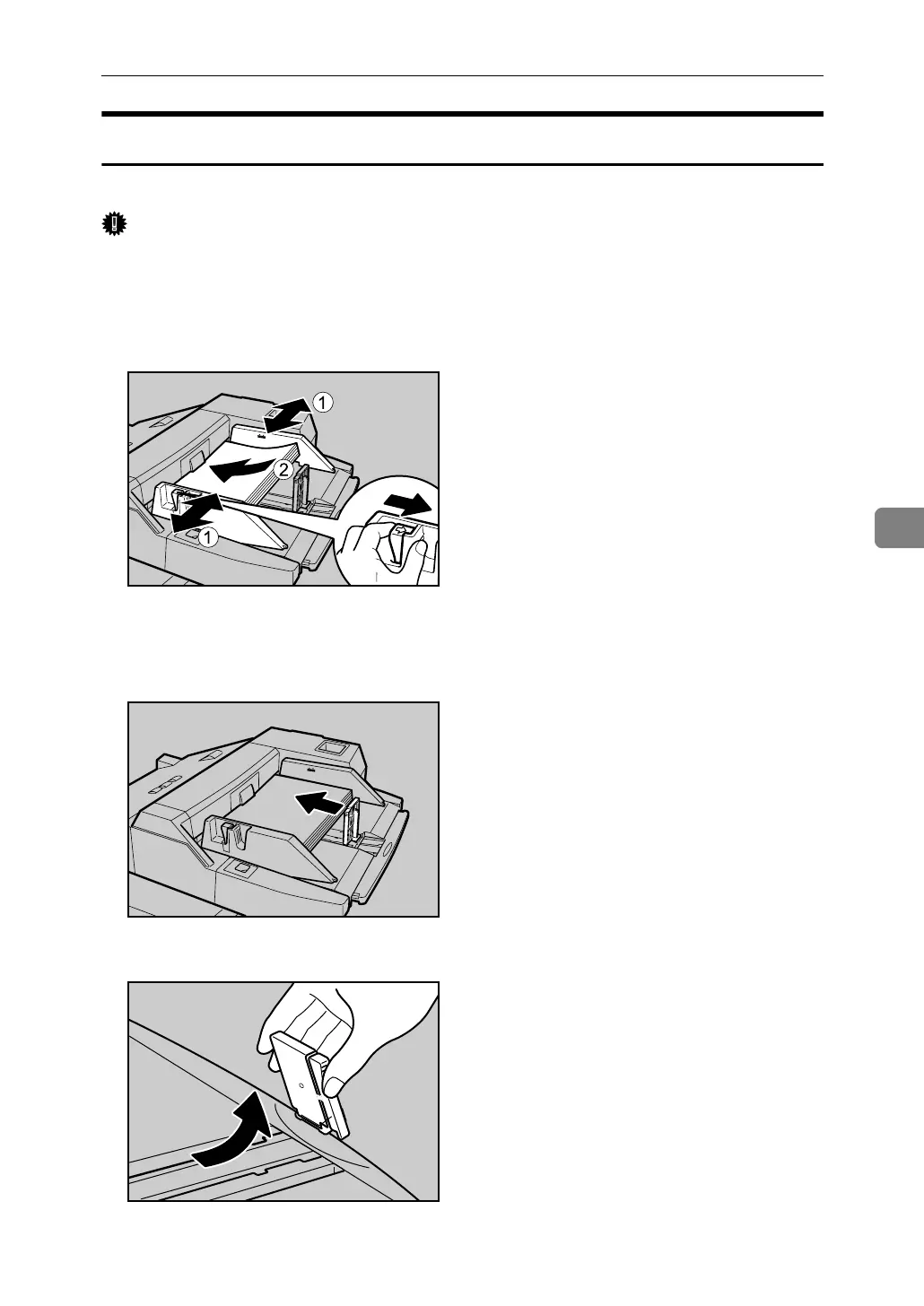
Loading Paper into the Multi Bypass Tray (Tray 7)
The following procedure explains loading paper into the multi bypass tray (Tray 7).
Important
❒ Check that the paper edges are aligned at the left side.
❒ The maximum number of sheets you can load into the multi bypass tray (Tray 7)
depend on paper type. The number should not exceed the upper limit.
A Set the side fence to the paper size.
B Place paper in the multi bypass tray (Tray 7).
C Set the end fence.
To remove the end fence, slide it to the right.
APF028S
ANQ068S
ANQ069S



 To Next Page