Changing the Paper Size
81
5
Changing the Paper Size in the Wide Large Capacity Tray
The following procedure explains how to change a paper size in the wide large
capacity tray (Wide LCT).
Important
❒ Check that the paper edges are aligned at the left side.
❒ Do not stack paper over the limit mark.
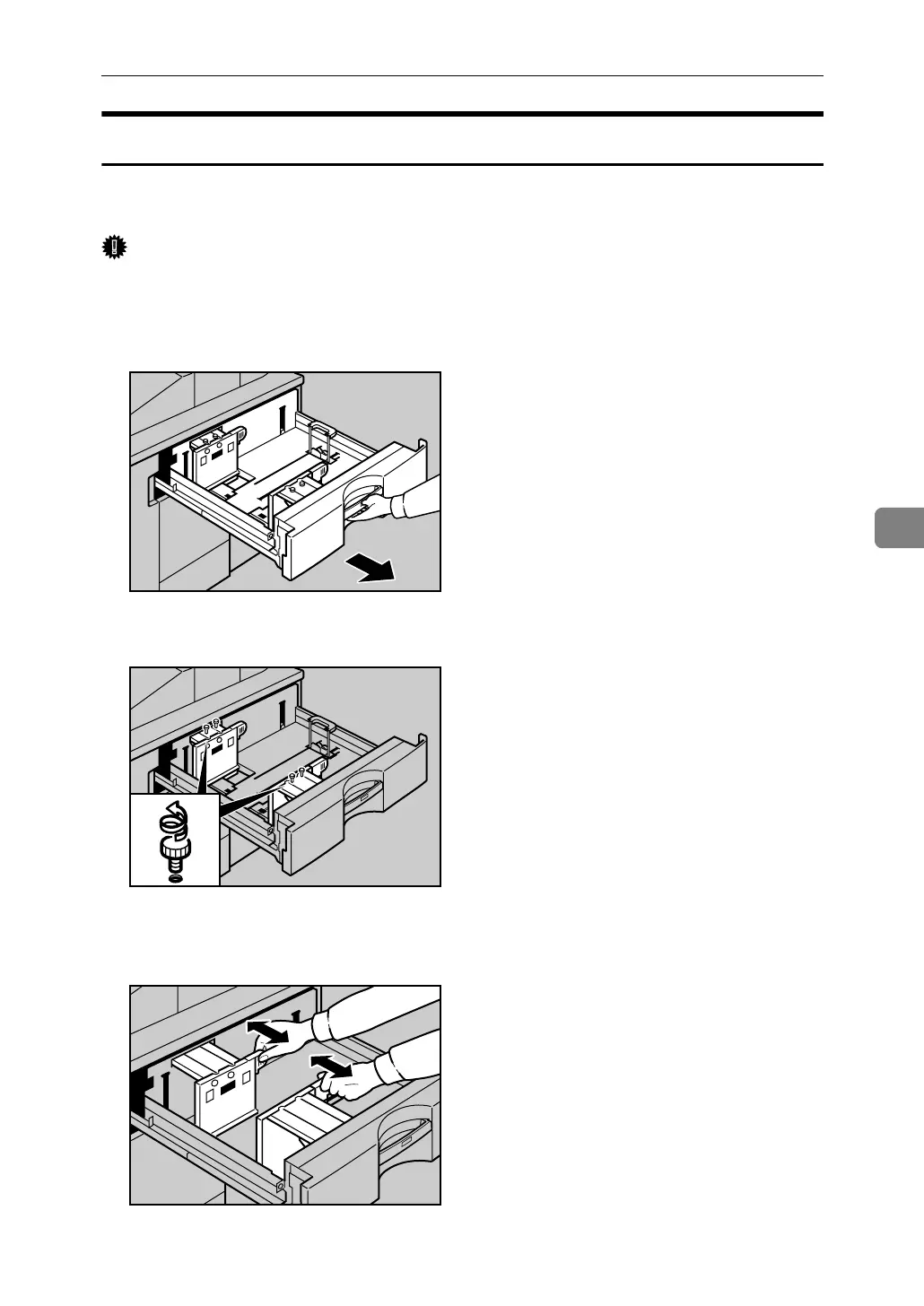
A Carefully pull out the paper tray until it stops.
B Pull out the screws fixing the side fence.
C Take the grip of the side fence with your fingers, and adjust the side fence
to the paper size.
ANQ060S
ANQ061S
ANQ062S



 To Next Page