Adding paper, Toner and Staples
80
5
H Carefully slide the paper tray fully in.
I Check the size on the display.
Load A4K, 8
1
/
2
” × 11”K into the Large Capacity Tray (Tray 4 and 5)
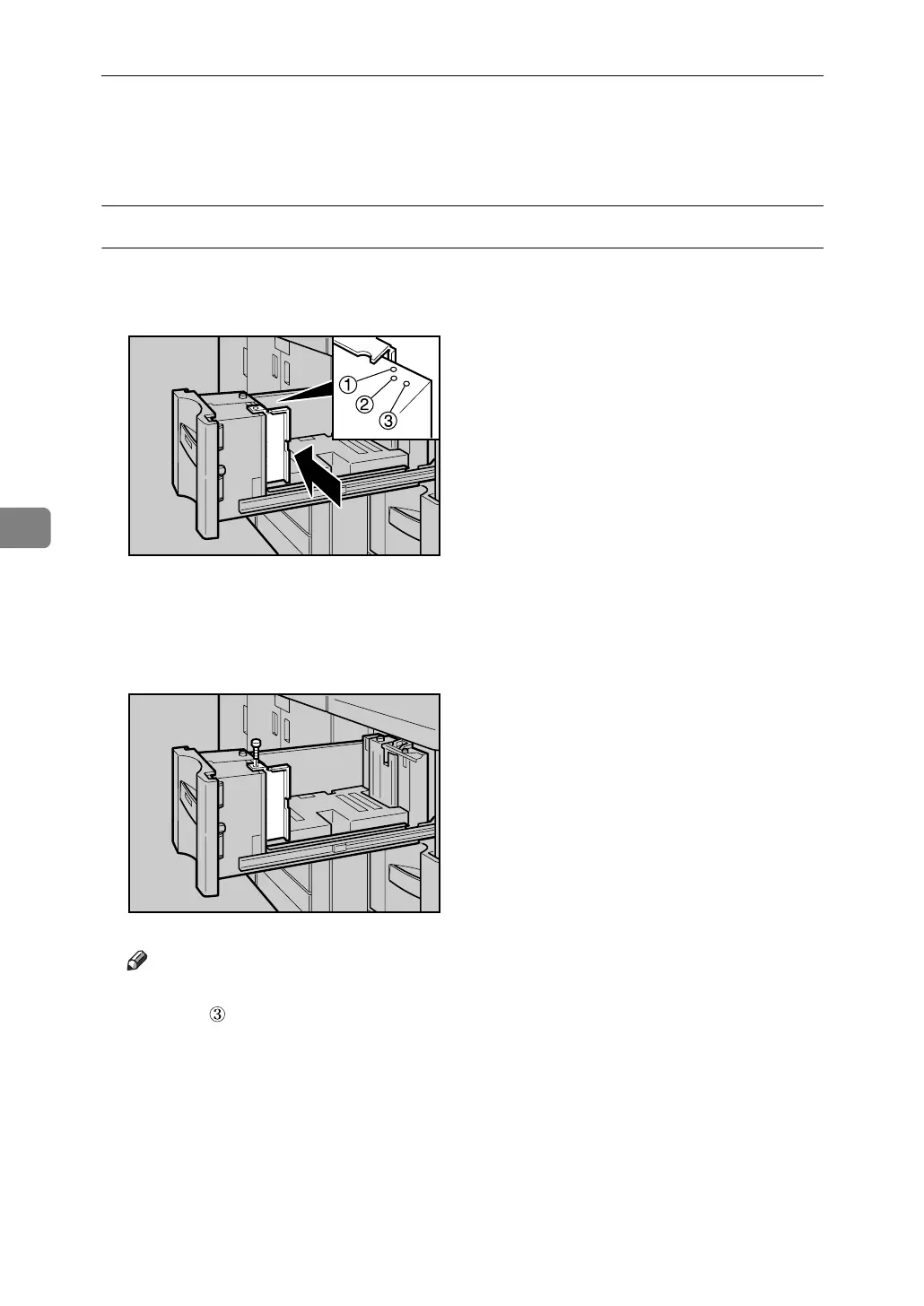
Follow the procedure below to set the end fence for A4K, 8
1
/
2
” × 11”K.
A Set the end fence according to the paper size.
A A4K
B 8
1
/
2
” × 11”K
B Fasten the end fence using the screw provided.
Note
❒ When loading index tabs, shift the end fence for A4K, 8
1
/
2
” × 11”Kto po-
sition before setting the end fence for index tabs.
ANQ076S
ANQ077S



 To Next Page