95
9
Downloading Images to Your Computer
4
Disconnect the USB cable when transfer is complete.
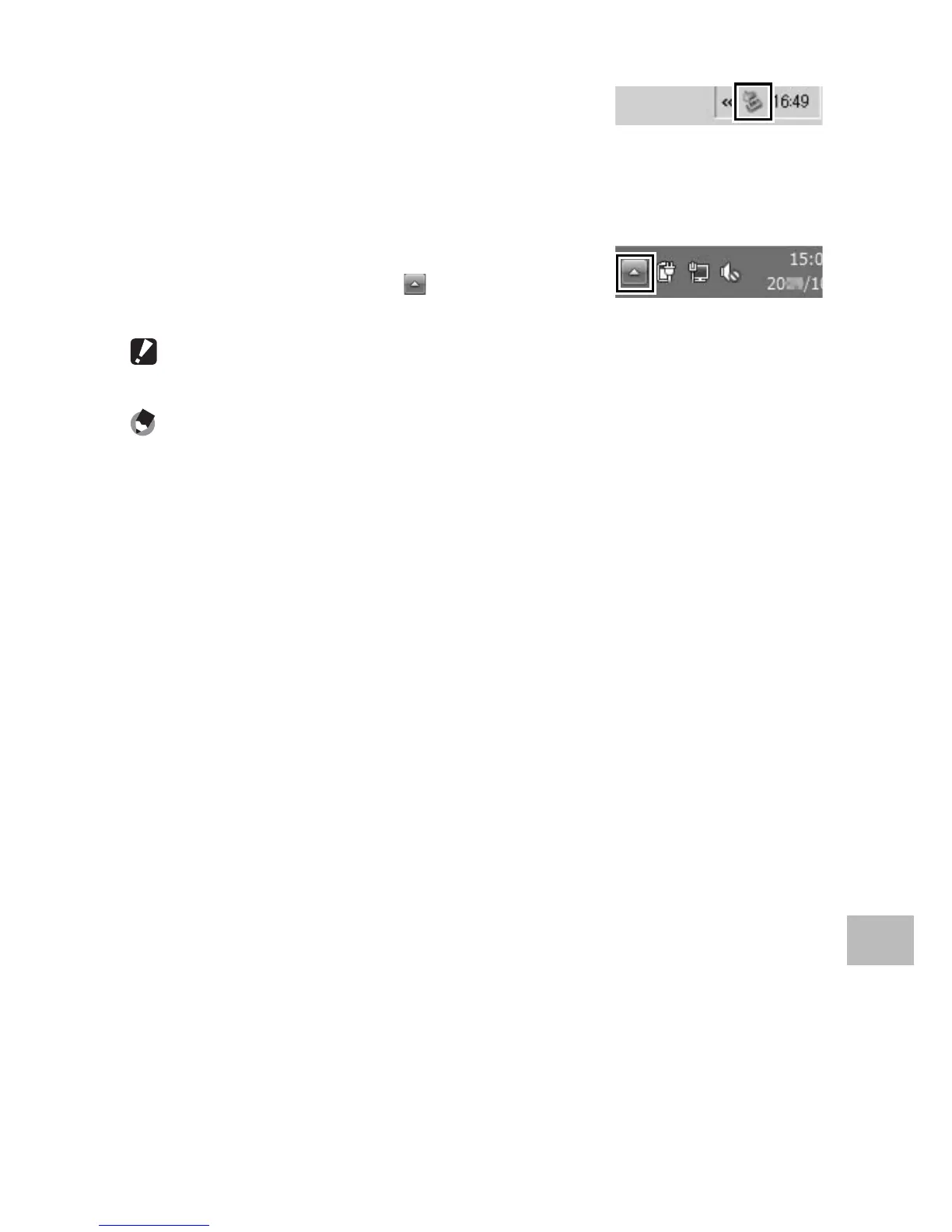
• Click the [Safely Remove Hardware] or
[Unplug or Eject Hardware] icon in the
taskbar (the illustration above shows the icon for Windows XP) and
select [Safely Remove USB Mass Storage Device] or [Stop USB Mass
Storage Device] from the menu that appears. You can then
disconnect the USB cable.
• If the remove hardware icon is not displayed
in Windows 7, click the button in the
taskbar.
Caution ---------------------------------------------------------------------------------
Do not turn off the camera or disconnect the USB cable during image transfer.
Note -------------------------------------------------------------------------------------
• “MediaBrowser” image viewing and editing software (for Windows only) is
also included in the internal memory of the camera. You can download the
information on how to use MediaBrowser from the displayed “Help”.
• For the latest information about MediaBrowser, access the Web page of Pixela
Co., Ltd. (http://www.pixela.co.jp/oem/mediabrowser/e/).




 To Next Page