CCP-1116 Commentary Control Panel – Quick Guide 1.2
Page 17
6.3.2 Pan Type
For some reasons it is necessary, to change the panel type information that is sent to the Director.
For example if you want to use the CCP panel with an Artist version older 6.40 where the CCP is
not directly supported. Therefore you have to adjust the mode to “DCP-1116”.
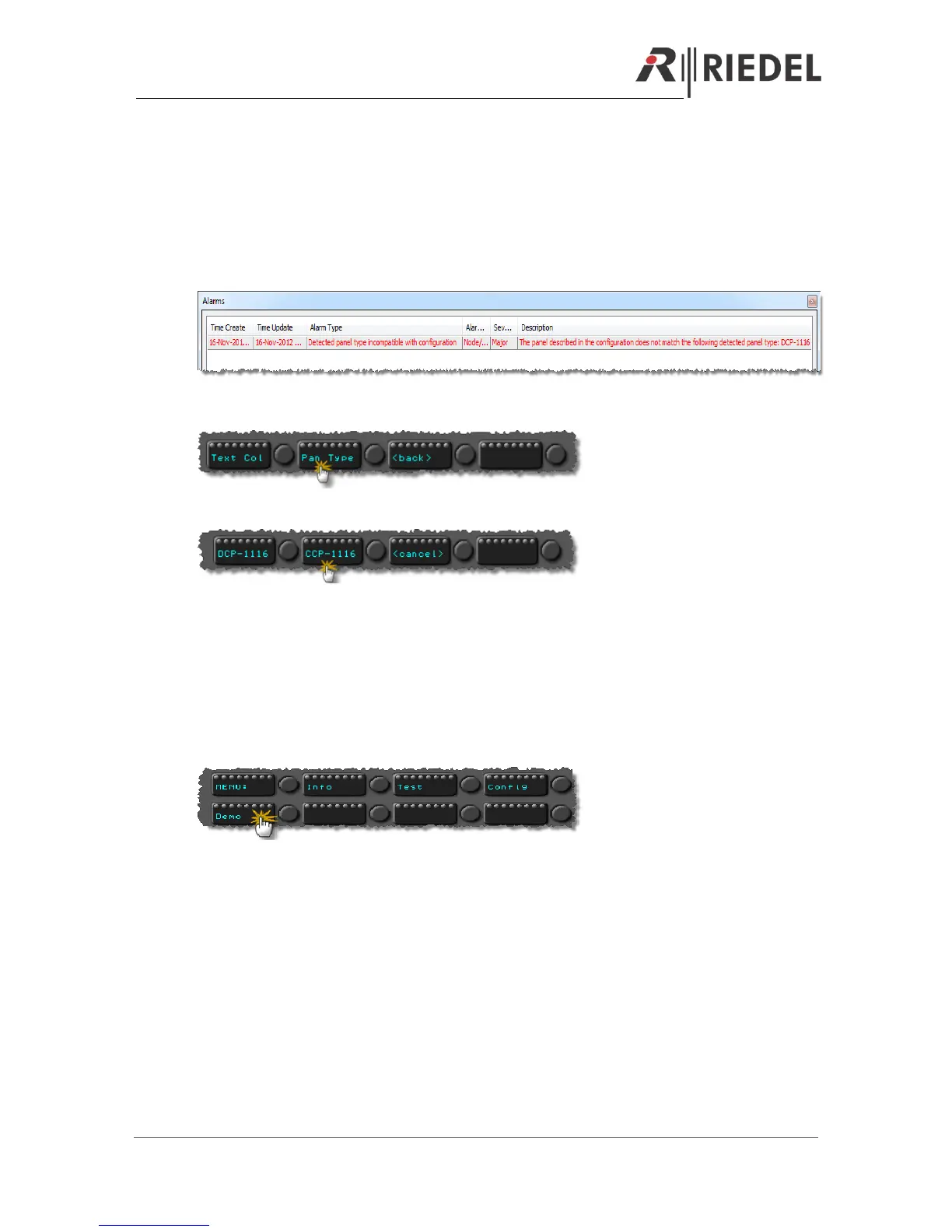
Also if you get an Alarm message within the Director, that a wrong panel type is connected (DCP
instead of a CCP) you have to change the mode to CCP.
Press the button “Pan Type”
Then press the button with the panel type you want to use.
After resetting the panel it will log on in the Artist as the assigned type.
6.4 Demo Mode
By pressing “Demo” you can start a demo mode, where all buttons are labeled with different
caracter sets.
To stop the “Key Test” mode, you have to reset the panel by pressing “Shift”+”F1”+”F2”.


 To Next Page