CCP-1116 Commentary Control Panel – Quick Guide 1.2
Page 9
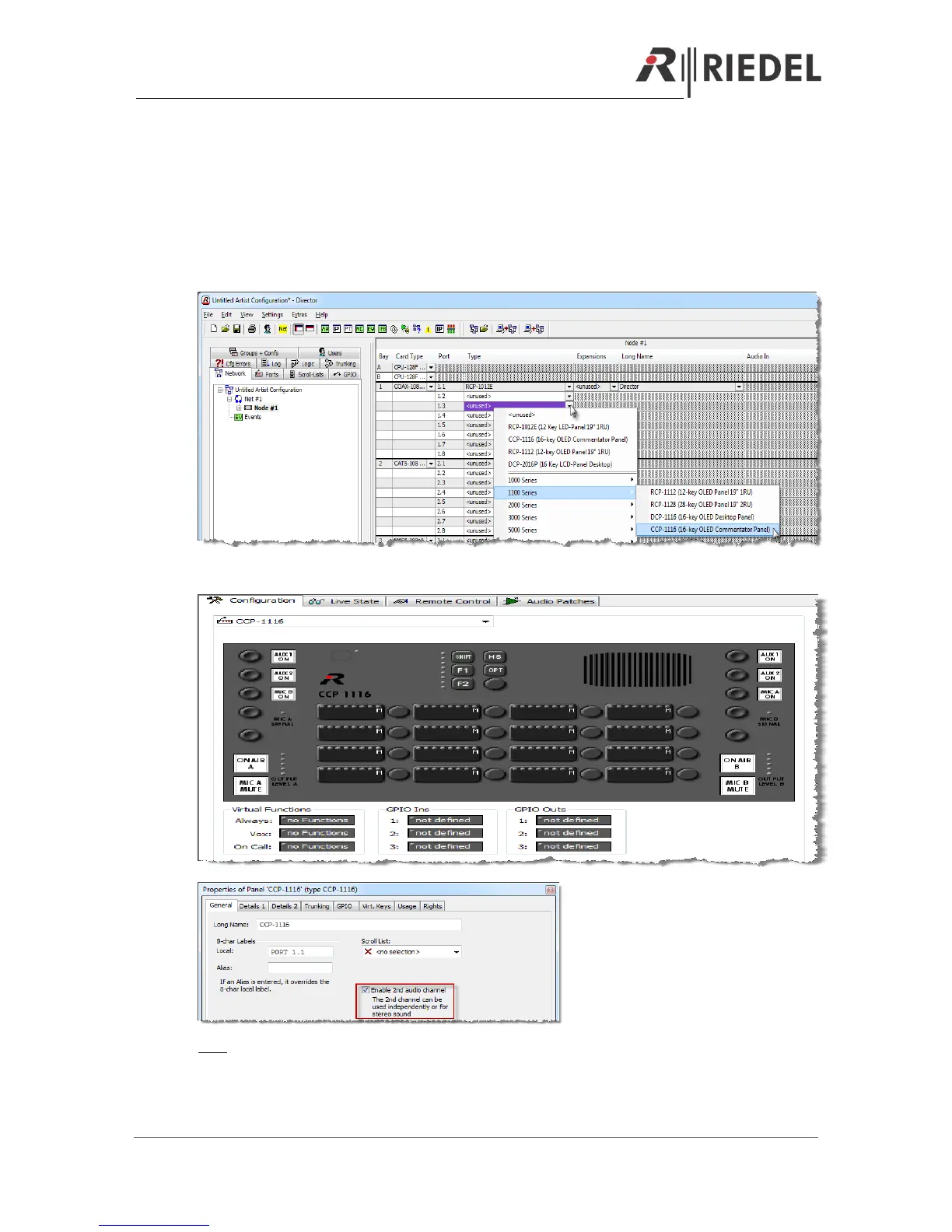
5 DIRECTOR CONFIGURATION OF A CCP-1116
When you want to use the CCP-1116 Commentary panel with its full functionality for 2
commentators, you have to adapt some configuration settings in the Director.
First you have to create a new CCP-1116 on an odd digital port (for 2channel operation) and
activate „enable 2nd Audio channel“ in the properties of the port.
Open the Panel view with a double click on the port.
Hint: Up from Director 6.60 the CCP will be created automatically as a 2-channel port, when you
add it to an odd port and the following port is unused.


 To Next Page