19
NSA-002A User Manual A00
4.3 General settings
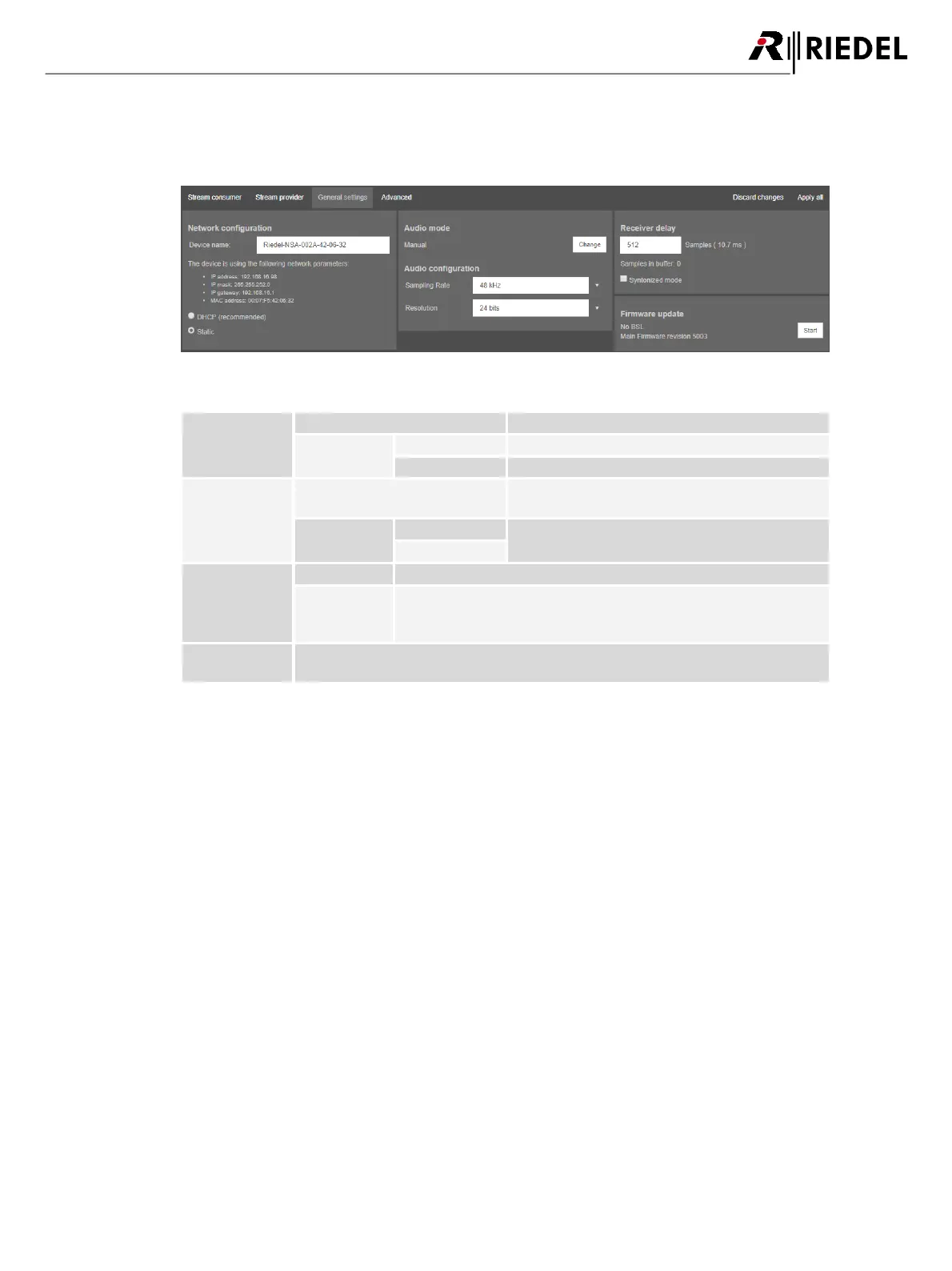
The tab General settings allows setting and reading of IP parameters and general device configurations.
figure 20: NSA-002A web interface "General settings"
The IP configuration is obtained from a DHCP server.
The user can provide the IP configuration manually.
Toggles between Manual- and Bolero-Mode. Use the
devices key to change the mode.
Fixed sample rate of 48 kHz.
Number of samples in the audio buffer.
In Synton mode audio packets without or with invalid PTP timestamps
are processed and output, hence this mode can be used in networks
without PTP synchronization.
The NSA firmware can be updated through the web interface.
To update the firmware press the start button and follow the instructions on the screen.


 To Next Page