37
20068428
Start-up, calibration and operation of the burner
modes.
From Normal mode you can access other levels:
– Info mode (
InFo)
–Service mode (
SEr)
– Parameter mode (
PArA)
Some examples in the standard conditions are given below.
6.5.5.1 Burner display in stand-by
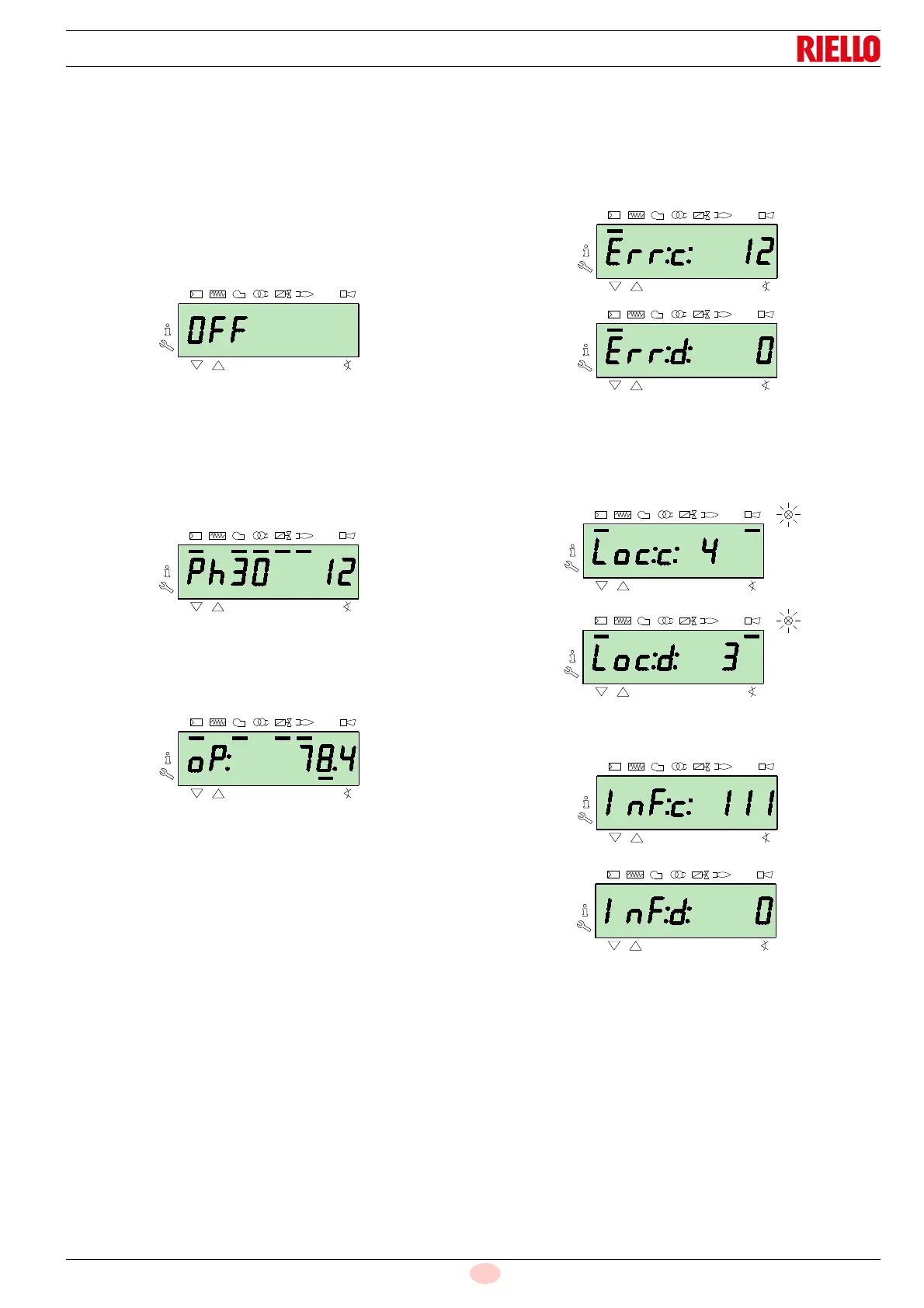
The burner is in the heat request waiting mode, or the selector “0-
1” (Fig. 30 at page 34) is in the “0” position.
6.5.5.2 Display during the start up / stop
The display visualises the various phases of the start-up, ignition
and switch-off of the burner.
In the example, the display indicates that the burner is in
Phase 30 (see diagram Fig. 35) and there are 12s to the succes-
sive stage.
6.5.5.3 Display of the work position
The burner is working in the requested load position (in the exam-
ple alongside,
78.4%).
6.5.5.4 Condition error message, display of the errors
and information
The display visualises alternately the error code (in the example
c: 12) and the relative diagnostic (in the example d: 0).
The system goes into safety mode and the message shown in the
next figure appears.
The burner goes into lockout.
The display visualises alternately the lockout code (in the exam-
ple alongside
c: 4) and the relative diagnostic (in the example d:
3). The red lockout lamp is on.
The display visualises alternately an error code and a diagnostic,
which does not take the system into safety mode.



 To Next Page