20068428
44
Start-up, calibration and operation of the burner
6.8 Backup / Restore procedure
At the end of the "Start-up procedure" it is opportune to make a
backup, creating a copy of the data memorised on the REC, in
the display panel RDI 21.
This will allow the data be used to programme a new REC or to
return to the memorised settings of the same REC.
6.8.1 Backup
To perform the backup, proceed as follows:
access the Parameters Level referring to "Access proce-
dure with password" at page 39.
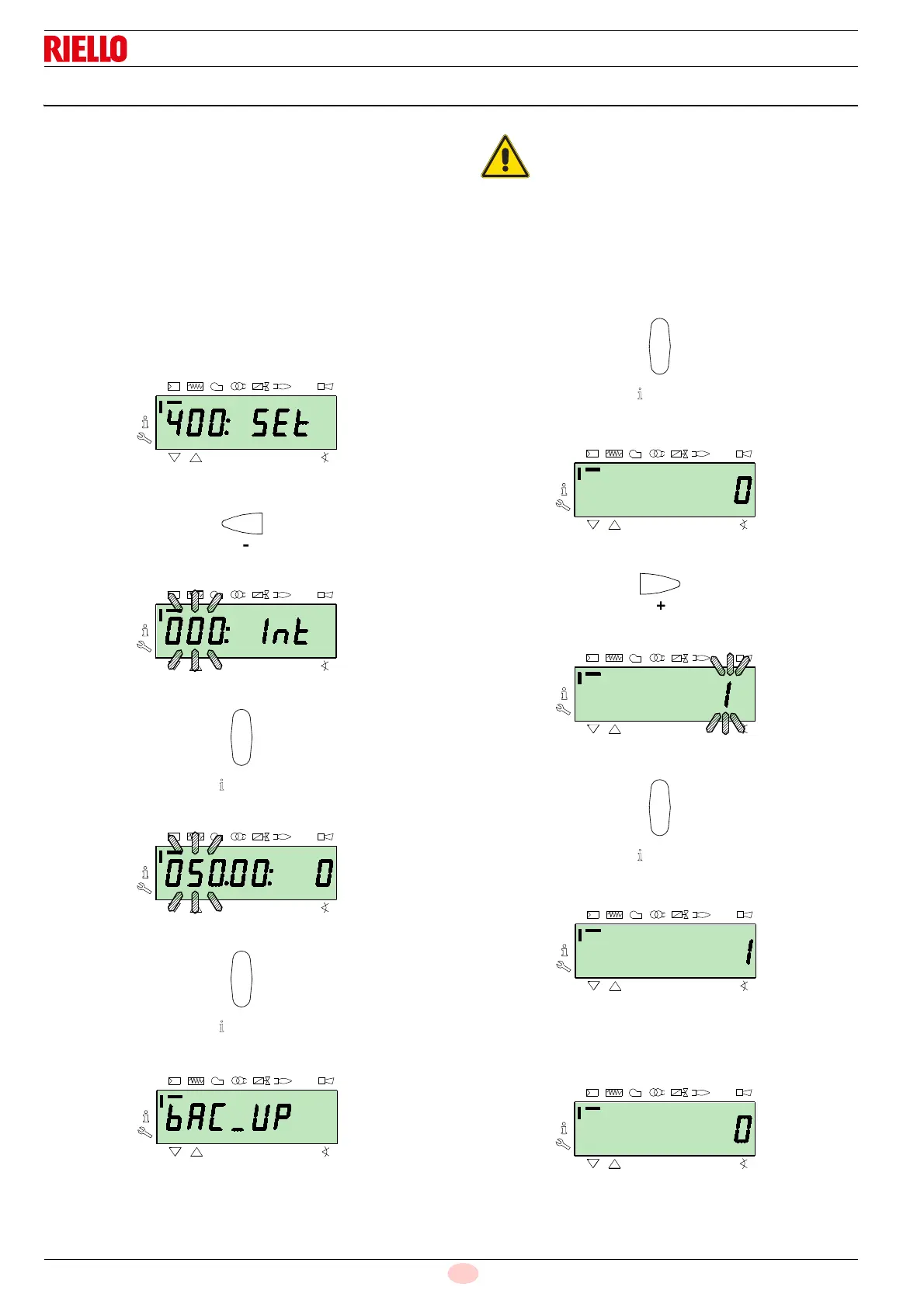
The display screen displays the parameters group
400.
With the key
"-":
Select the parameters group
000:
The
000 parameter blinks, confirm using the "i/reset" key:
The display screen shows parameter
050 blinking:
Confirm with the key
"i/reset":
The parameter
bAC_UP appears on the display screen:
confirm with the key
"i/reset":
The display screen shows the following value:
Use the button
"+":
The value will be set to
1. Value 1 is flashing:
confirm with the button
"i/reset" to activate the backup process.
The value
1 appears on the display screen:
After approx 5 seconds (it depends on the duration of the pro-
gramme), the 0 value appears on the display screen, this is to in-
dicate that the backup process has been completed correctly.
We suggest carrying out this operation at the end
of each intervention that modifies what has been
set on the cam.
This will allow a restore to be easily carried out on
a new cam supplied as a replacement part, with-
out having to reprogramme the system.



 To Next Page