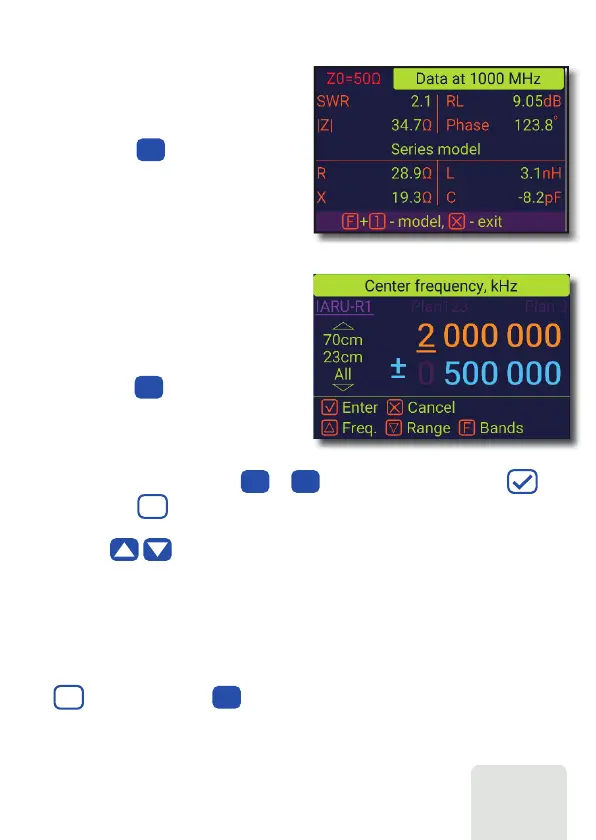
Use cursor keys to navigate, or the to keys to enter values, press the (OK)
key to apply. Hold key for band selection, use navigation keys for choosing
bandplan, amateur regional bandplan and custom bandplans are available (if they were
defined), use keys to apply band settings.
RigExpert AA-3000 ZOOM
Data screen
Frequency
and range entry
Return loss chart
F
The data screen is available in all chart
modes. Press the (Data) key to display
various parameters of a load at cursor.
0
9
To enter the center frequency or the sweep
range, press the (Frequency, Range)
key.
0
The return loss (RL) chart, which is very similar to the SWR chart, is activated by pressing
the (Functional key) and (RL chart) key combination in the Main menu.
F
4
0 9













 To Next Page