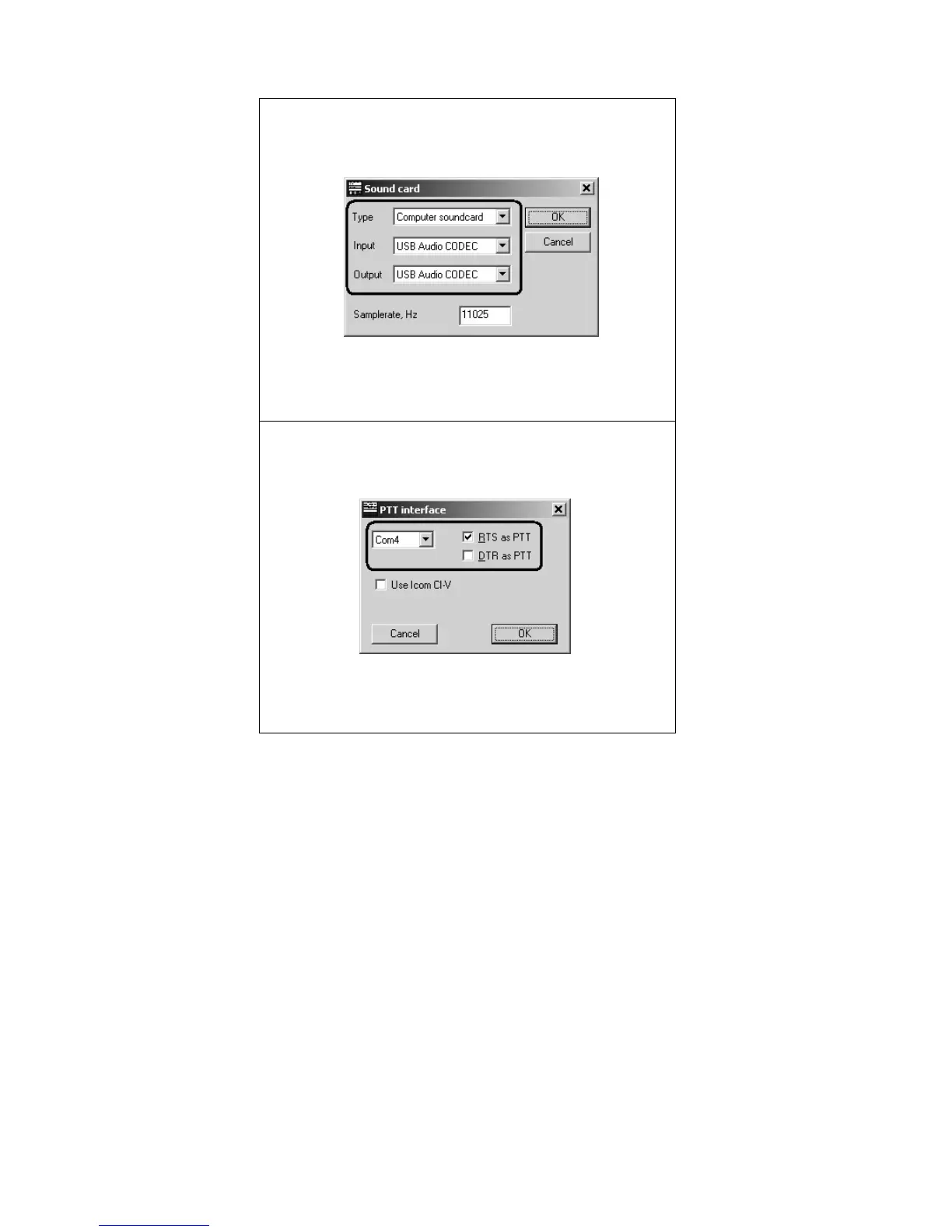
Software setup example: DigiPan 14
1. Run DigiPan and open the Sound Card dialog
from Configure menu.
Choose Computer soundcard as a sound card type,
then select USB Audio CODEC as input and output.
2. Go to Configure – Serial port menu to open the
PTT interface dialog.
Select your PTT/CW port here, then check RTS as
PTT check-box.


 To Next Page