Driver Installation Guide (Windows 98/ME) 9
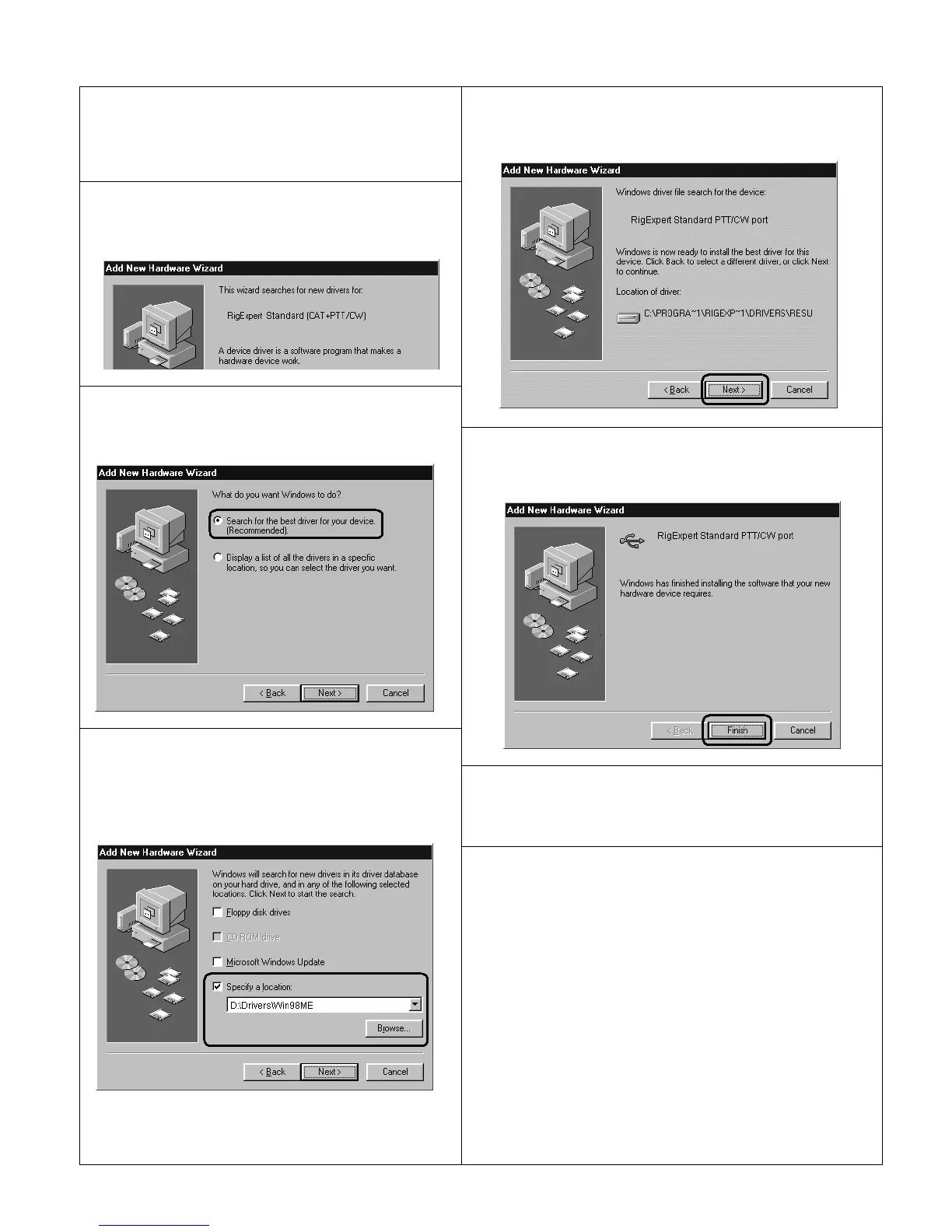
1. After the RigExpert Standard device is plugged
into the computer USB port, a Found New
window will pop up on the computer screen.
2. A few seconds later, the Add New Hardware
Wizard will start. Click Next to continue.
5. Click Next when you see the "Windows is now
ready to install…" window.
3. In the next window, select Search for the best
driver for your device and click Next.
6. In the ”Windows has finished installing…” window,
click Finish.
7. Please repeat steps 2-6 when Windows finds
RigExpert Standard subdevices.
4. Check Specify a location and click Browse to
browse for the drivers directory (normally, this is
\Drivers\Win98ME folder on your CD), then click
Next to continue.
8. Now the drivers are installed and are ready to be
configured (see page 11).


 To Next Page