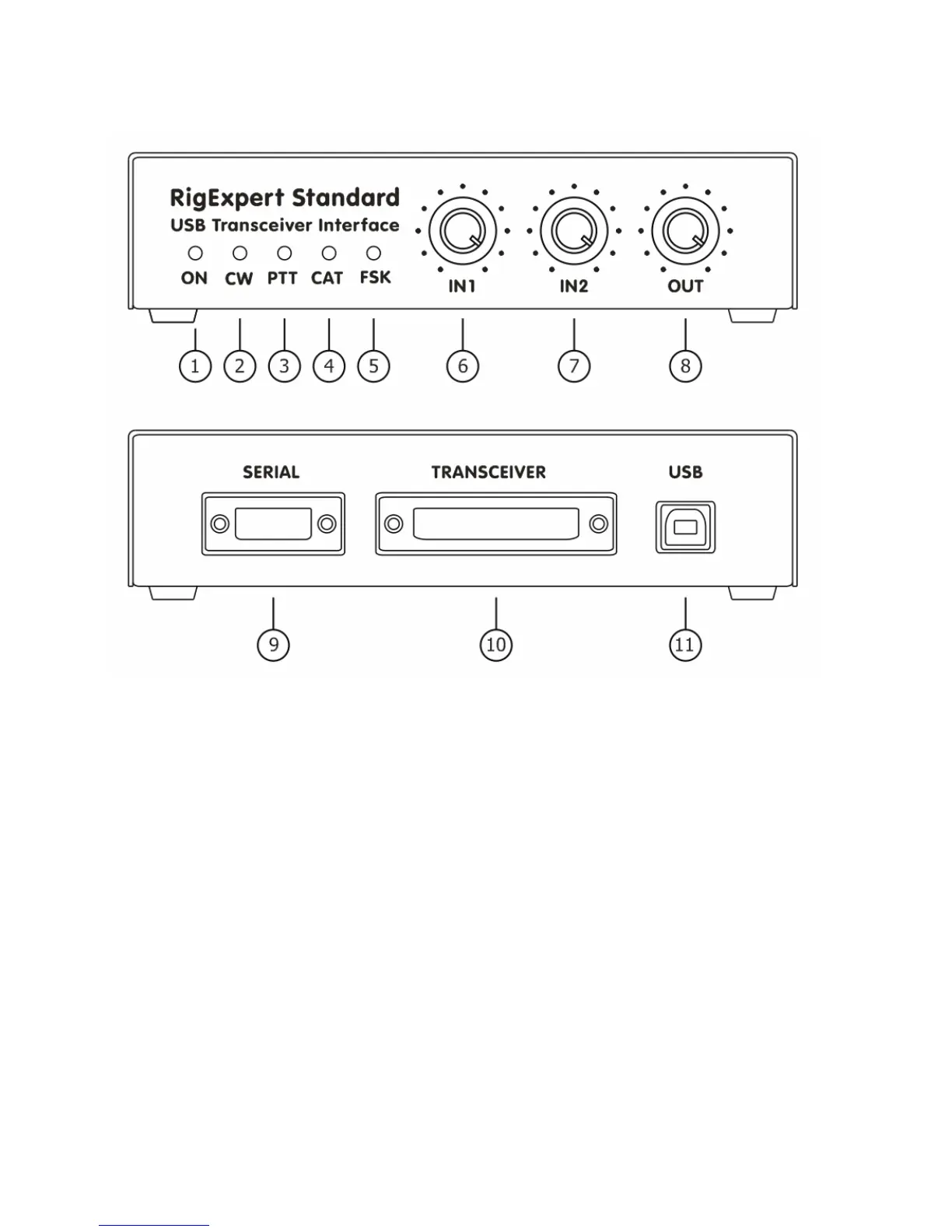
Front and rear panels 6
1. ON. Lights when the RigExpert Standard device is plugged in and the drivers are installed.
2. CW. Shows transmissions in CW mode.
3. PTT. Indicates when the transceiver transmits.
4. CAT. Monitors CAT data exchange between transceiver and computer.
5. FSK. Lights when RigExpert Standard is sending FSK data.
6. IN1. Input level, channel 1 (main receiver audio).
7. IN2. Input level, channel 2 (sub-receiver audio).
8. OUT. Output level (audio to the transceiver).
9. SERIAL - 9-pin serial port connector.
10. TRANSCEIVER. 25-pin transceiver connector.
11. USB. Connect to the computer USB port.


 To Next Page