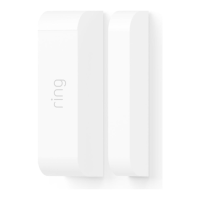
5. Set up your Alarm devices.
For the easiest setup, complete all three steps for each device before moving on to the next
one. Using the app and this guide, we’ll help you position your Alarm to improve the security
of your home.
Don’t pull out all of the tabs at once! It can make setting up your
Ring Alarm a lot more complicated. Wait until you’re ready to set up
a certain device, then only pull its tab when the app prompts you.
If you need to take a break and finish adding any of your security devices later, you can close
the app. When you’re ready, simply reopen the Ring app and tap the Set up a device button
on the dashboard or side menu.
Setting up your Ring Alarm security devices involves three steps:
1
Connect
the device to
your Ring Alarm.
12
Configure
any unique settings
as needed.
3
Install
the device
in your home.
9


 To Next Page
 Loading...