KBP Series Manual 65
The “OVERRIDE” funcon can be used with or without the ‘TIMER” operaon feature.
Without “TIMER” operaon
-“OVERRIDE” funcon can be used to manually acvate circulaon by pressing the “OVERRIDE/SELECT”
buon on the controller.
- To deacvate the “OVERRIDE” funcon press the “OVERRIDE/SELECT” again. (“OVERRIDE” funcon
will deacvate automacally aer 2 hours.)
With “TIMER” operaon
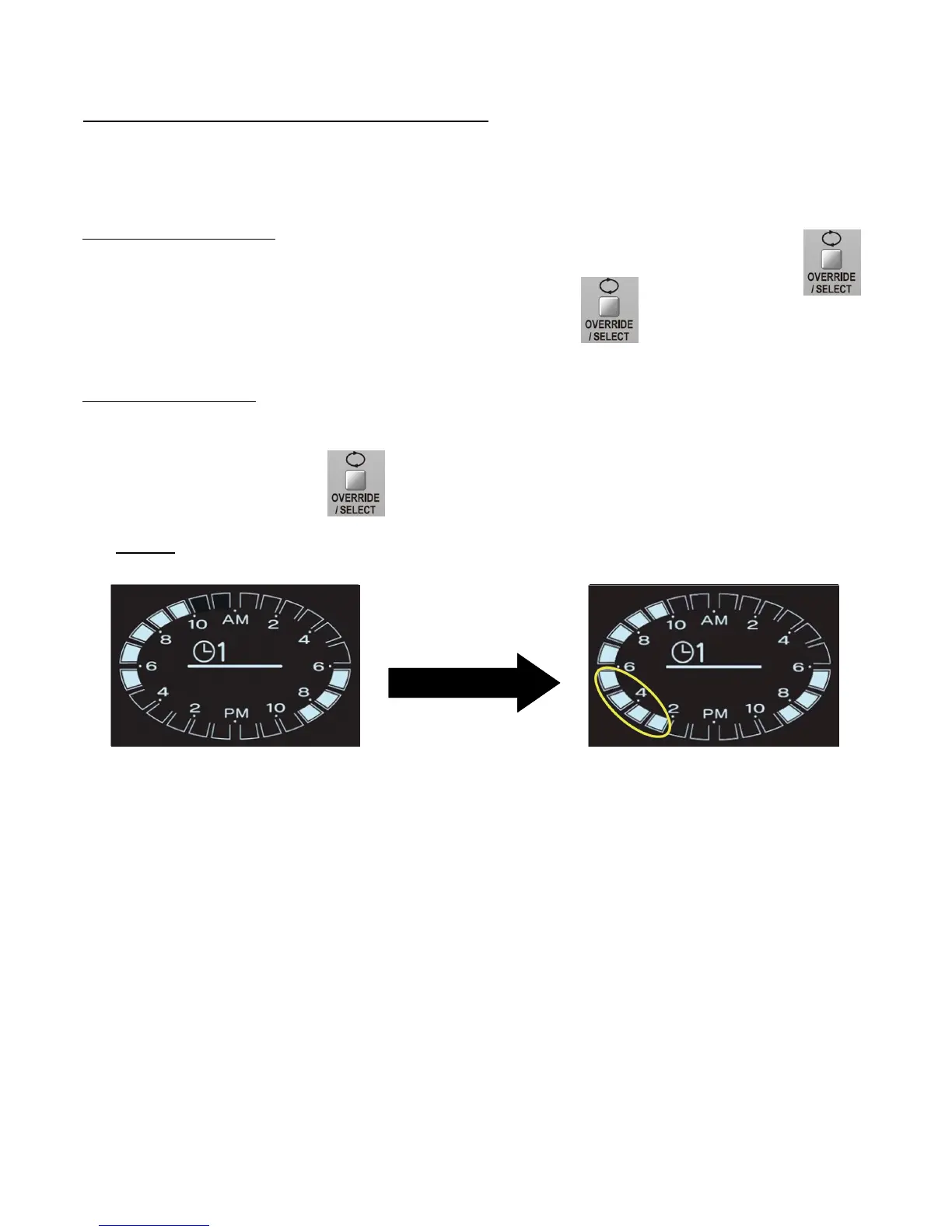
-“OVERRIDE” funcon can be used to temporarily alternate the programmed circulaon (“TIMER”) seng.
-Press the “OVERRIDE/SELECTION” buon during a “TIMER” operaon.
Example: When the “OVERRIDE/SELECTION” buon is pressed at 2:30PM, the grids from 2:00PM-5:00PM
will come “ON” and light up.
-The “Override” funcon is eecve only once and will disengage automacally on the next med seng
sequence. For example in the above case, at 6:00PM, the 2:00PM-5:00PM grids will turn o automacally and
the circulaon will now be “OFF”.
-The “OVERRIDE” funcon can be deacvated in the following ways:
1. Press “OVERRIDE/SELECT” during the “Override” funcon to cancel it and return to the original seng.
2. Deacvang the “TIMER” funcon.
3. Turning the controller “OFF”.
Press “OVERRIDE/SELECT”
Using the Circulaon Funcon (with Override)
(Refer to “Circulaon Funcon (with Timer) secon on previous page for informaon on seng the mer.)



 To Next Page
 Loading...