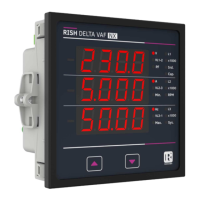
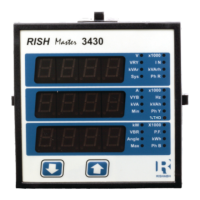
No. of Poles Conrmation
Pressing “DOWN” key enters back to No. of poles edit menu.
Pressing “UP” key sets the number on screen, 4 in this case, as number
of poles of generator and advanced to Relay limit parameter selection
screen (see section 3.2.9).
This screen enables to set No. of poles on a Generator of which RPM is
to be measured and to which the instrument is connected to measure its
output parameters.
Pressing “DOWN” key enters into no. of pole edit menu.
Pressing “UP” key will set the displayed number as No. of poles. Then it
advanced to Relay limit parameter selection screen (see section 3.2.9).
3.2.8 No. of Poles Selection :
No. of Poles edit
Pressing “DOWN” key scrolls the number from 02 to 40 in step of 2.
After 40 it wraps to the number again 02.
Pressing “UP” key enters into No. of poles Conrmation screen.
L3-L1
L2-L3
Hz
x1000
L1-L2
Volt
x1000
L3
L1
L2
A
x1000
L3-L1
L2-L3
Hz
x1000
L1-L2
Volt
x1000
L3
L1
L2
A
x1000
L3-L1
L2-L3
Hz
x1000
L1-L2
Volt
x1000
L3
L1
L2
A
x1000
16


 To Next Page