1-1
1
ComColor GD Series Troubleshooting Guide
Chapter 1 Messages
This chapter describes the reasons why the error lamp flashes on the operation panel and messages appear on the touch
panel, and what actions to take.
When the message is displayed, resolve the problem following the instructions in the displayed message.
Error Messages on the Touch Panel
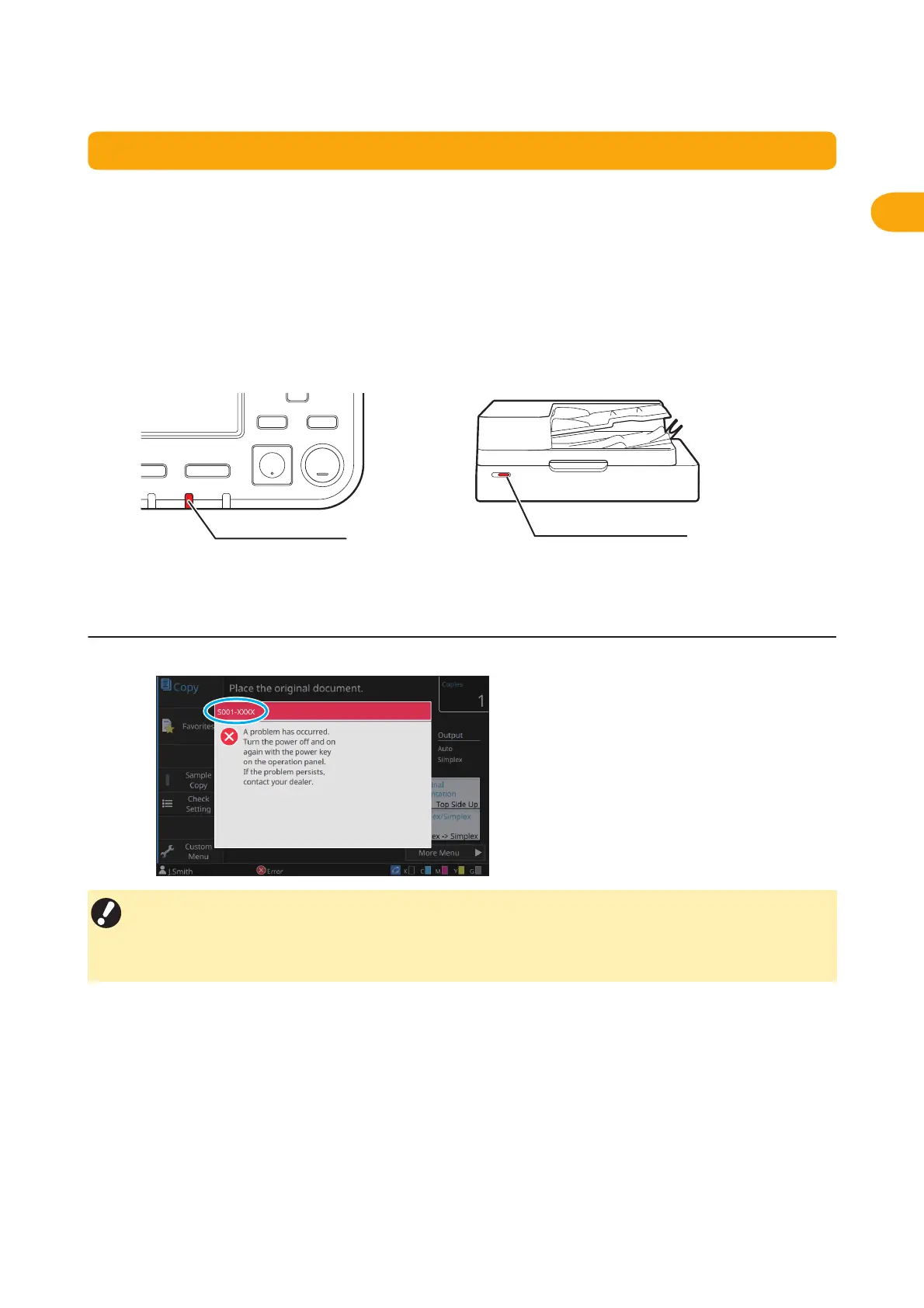
A description of the problem and instructions for resolving the problem are displayed, as shown in the illustration below.
Operation panel error lamp
When an error occurs, the error lamp flashes in red.
Scanner lamp
When an error occurs with the scanner, the scanner
lamp flashes in red.
• An alphanumeric error code is displayed at the top of the error message screen.
Be sure to mention this error code when contacting your service representative.
- The first letter of the error code indicates the type of problem.
- The numbers vary depending on the location of the problem.



 To Next Page