2-21
2
ComColor GD Series Troubleshooting Guide
Stapler Jams (Multifunction Finisher)
If a staple becomes jammed inside the machine, follow
the procedure below to remove the staple.
● Case of the staple cartridge UR1
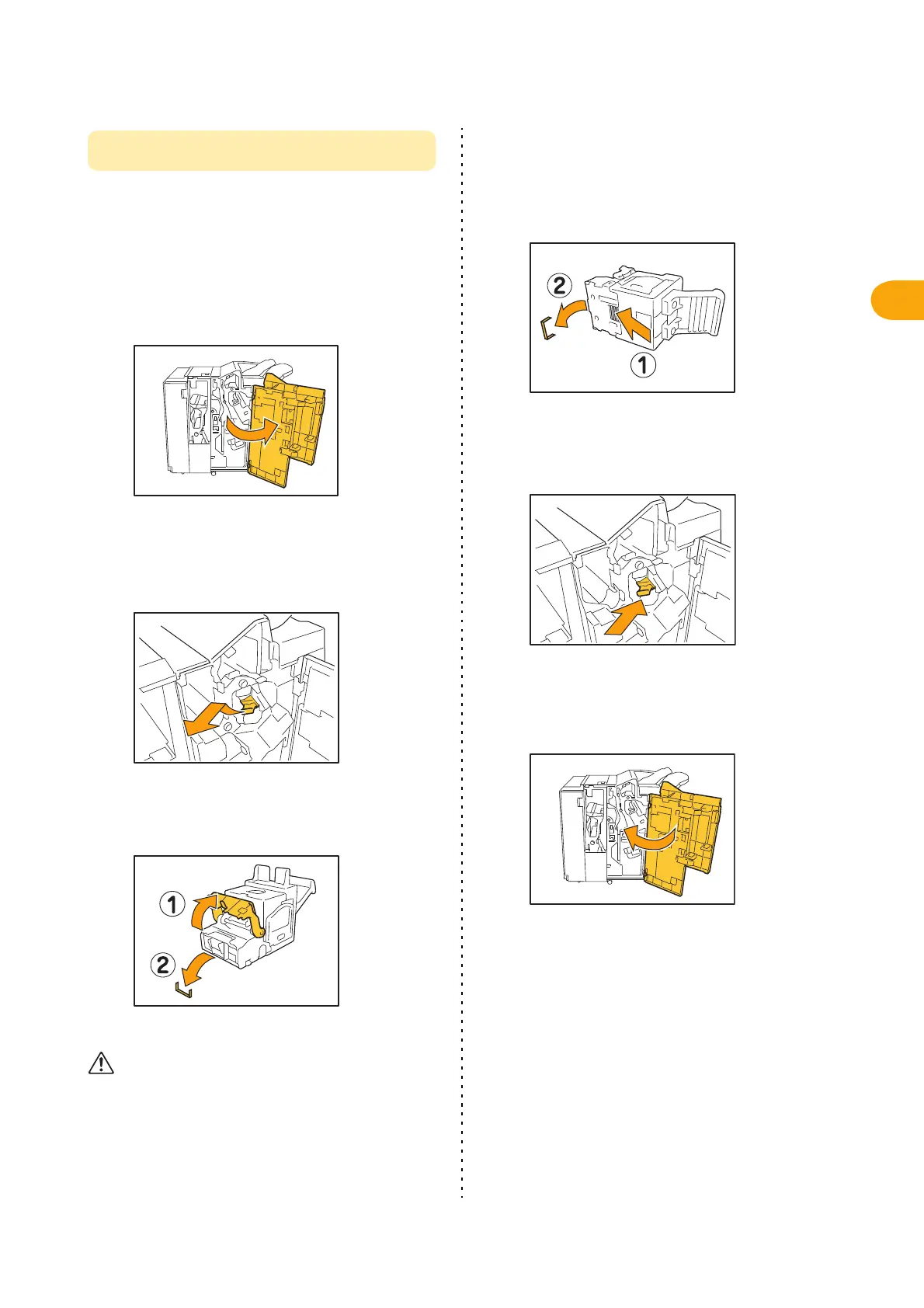
1
Open the cover.
2
Hold the handle of the staple
cartridge, and remove it by pulling it
towards you while slightly lifting.
3
Open the staple cartridge cover and
remove the jammed staple.
CAUTION
Be careful not to injure your fingers when removing the
staple.
4
If the jammed staple cannot be
removed, push the bottom of the
staple cartridge in the direction of
the arrow to remove the staple.
5
Return the staple cartridge to its
original position.
Push the cartridge in until you hear a click.
6
Close the cover.



 To Next Page