3-2
ComColor GD Series Troubleshooting Guide
6
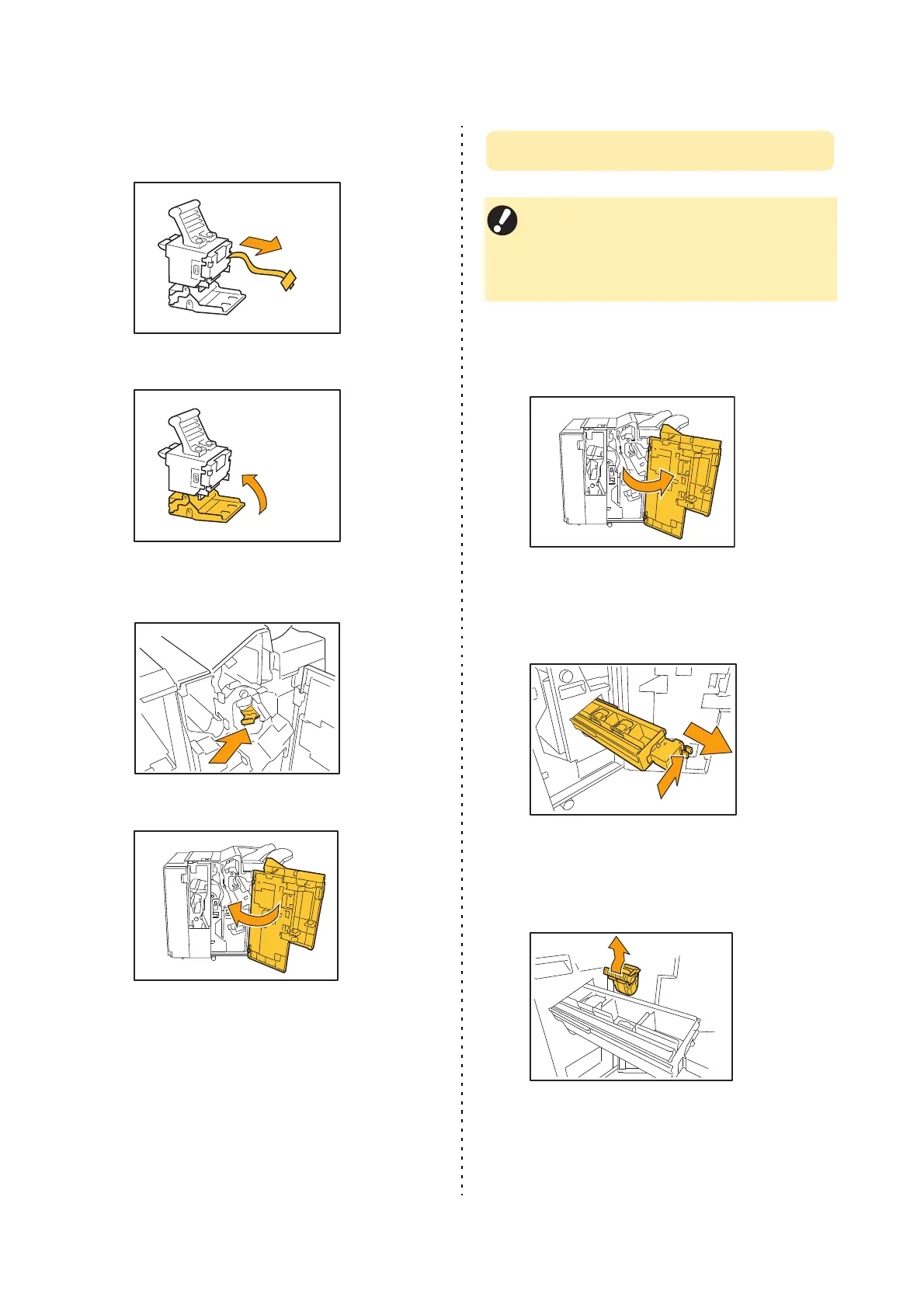
Pull out the tape from the staple
case.
7
Close the staple cartridge cover.
8
Return the staple cartridge to its
original position.
9
Close the cover.
Replacing the Staple Cartridge UR2/UR3
1
Open the cover.
2
Pull out the unit by pulling forward
while pushing the R2/R3 lever to the
right.
3
Hold the latches on the left and right
sides of the cartridge and pull up
towards the left.
• The staple replacement message may appear
even if there are staples remaining. Even so,
replace the staple case anyway. The remaining
staples cannot be used. Please take note of
this.



 To Next Page