3-5
3
ComColor GD Series Troubleshooting Guide
Cleaning the Punching Box
When the punching box becomes full of punching trash, printing stops and a message appears on the touch panel.
Use the following procedure to remove the punching box and dispose of the punching trash.
• When removing the punching box, be sure to dispose of all punching trash. If punching trash remains inside the
punching box, the punching box may become full before the message for replacement appears, causing a
malfunction.
• Be sure to perform this task with the power of the machine turned ON. If the machine is not turned ON, the
machine will not recognize that the punching box is empty.
When the machine is in the sleep mode, press the [Wake Up] key on the operation panel.
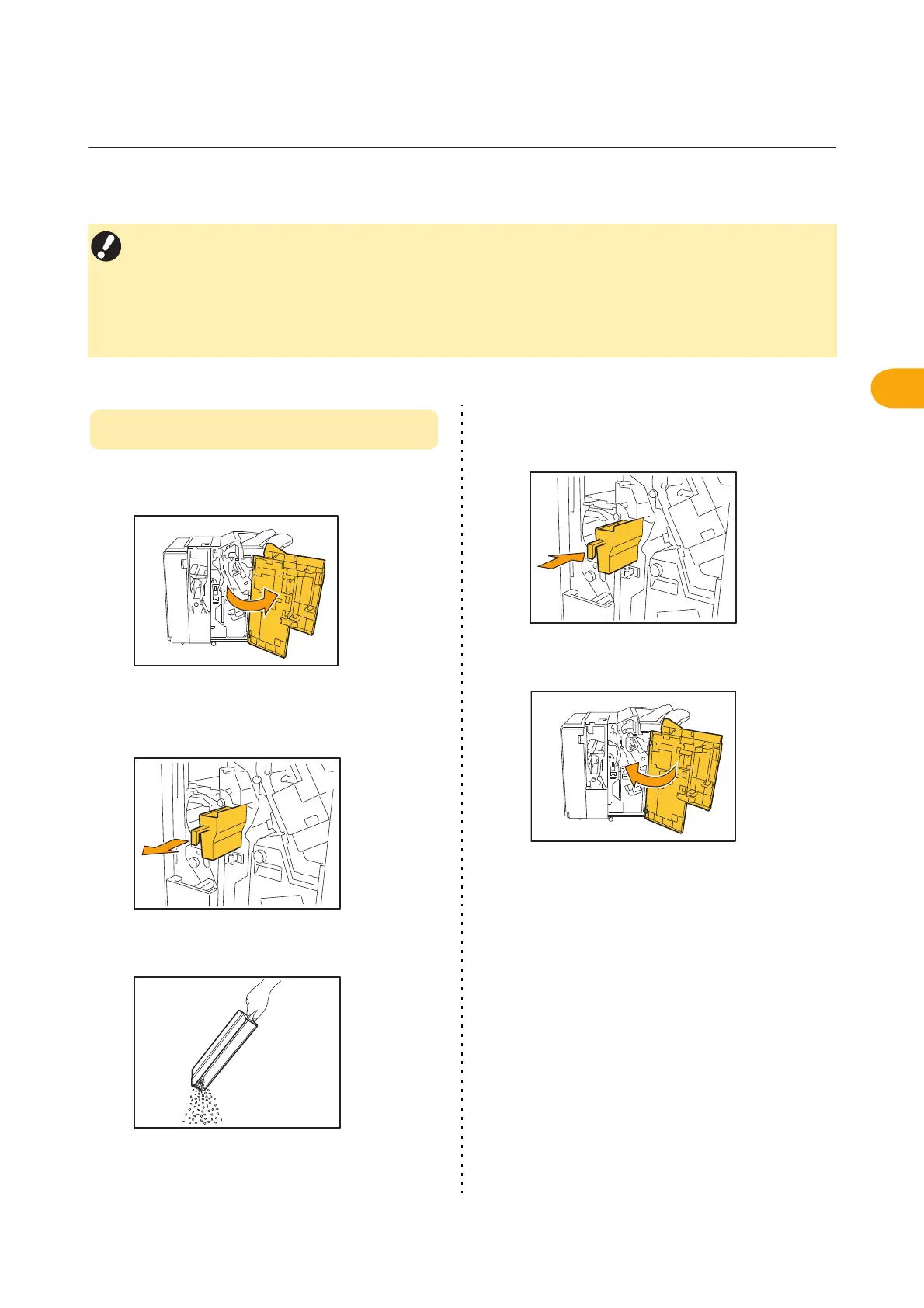
Disposing of the Punching Trash
1
Open the cover.
2
Remove the punching box by pulling
it forward.
3
Discard all of punching trash.
4
Return the punching box back to its
original position.
5
Close the cover.



 To Next Page