2-7
ComColor GD Series Troubleshooting Guide
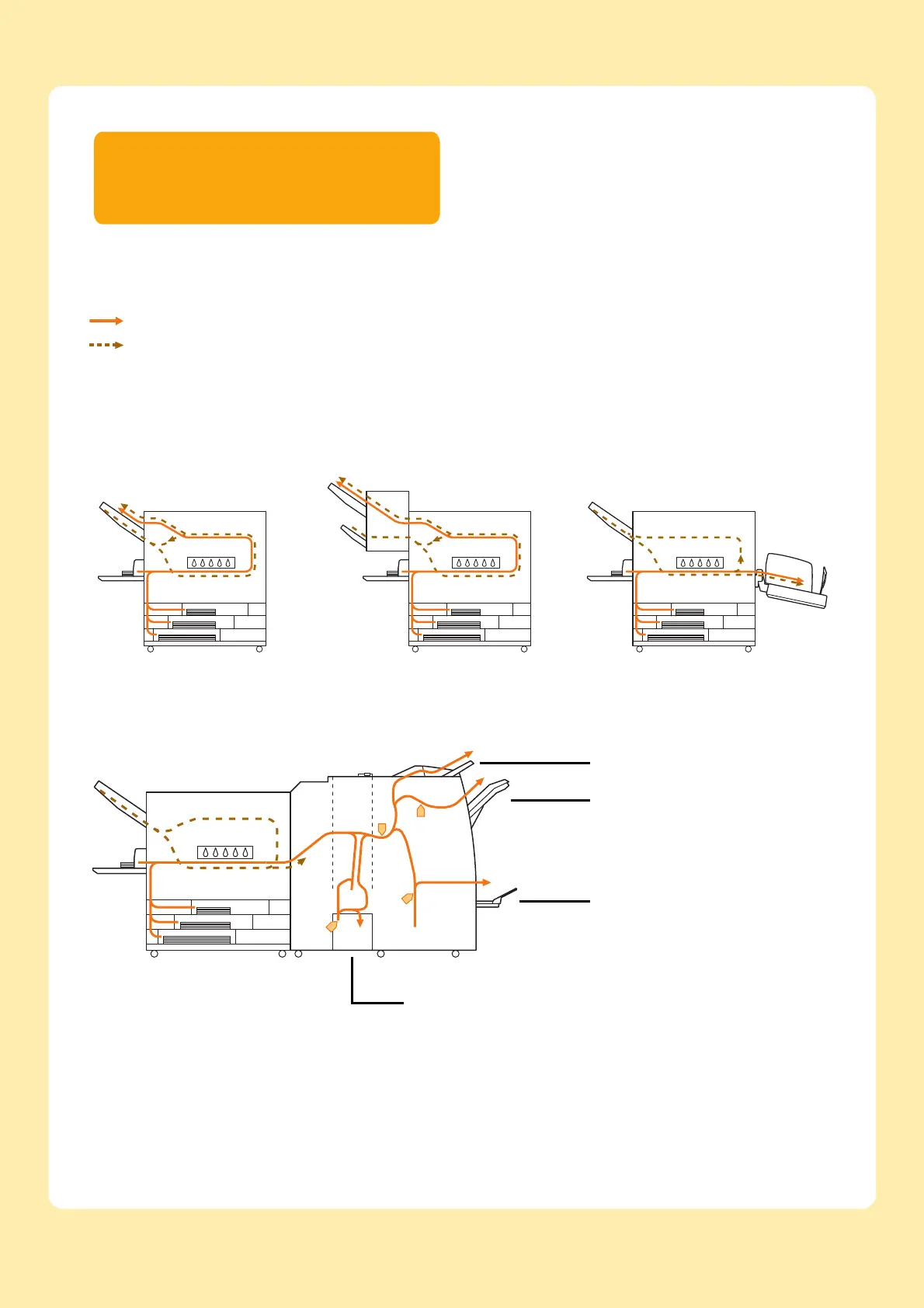
This section describes the path that paper travels through
the machine during printing. See this information when
removing jammed paper from the machine.
During printing, paper travels through the machine as shown in the illustration below.
Solid line: Paper feed path during simplex printing
Dashed line: Paper feed path during duplex printing
<When using the multifunction finisher>
The paper feed path inside the multifunction finisher is the same for simplex printing and duplex printing.
• The tray to which the printed materials are output will differ depending on the configured functions of the multifunction
finisher.
• For more information on the paper feed path when the multifunction finisher is connected, see the next page.
<When using the
face down tray>
<When using the
face down finisher>
<When using the stacking tray>
Tri-fold Output Tray
Booklet Tray
Stacking Tray
Top Tray



 To Next Page