2-22
ComColor GD Series Troubleshooting Guide
● Case of the staple cartridge UR2/UR3
1
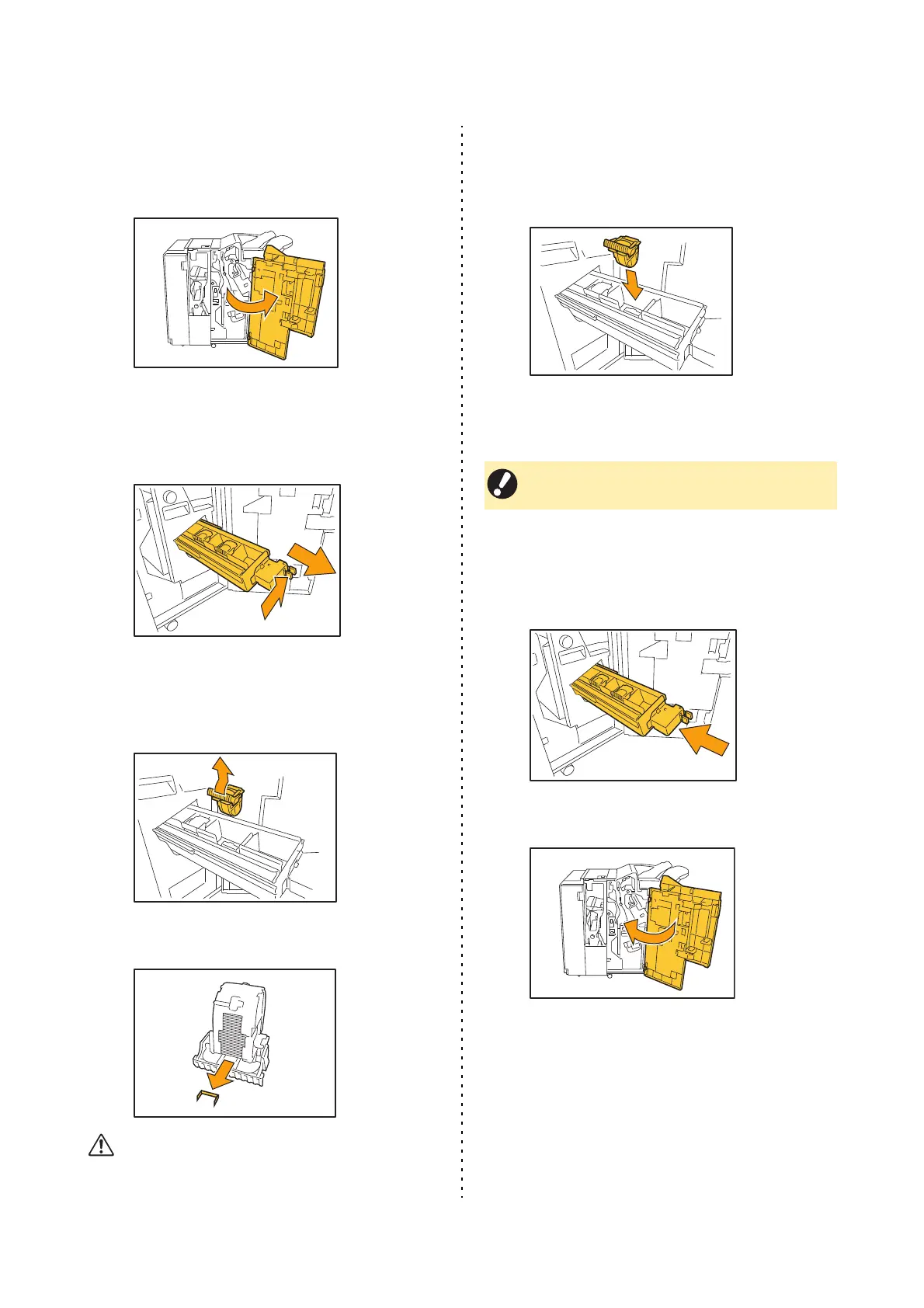
Open the cover.
2
Pull out the unit by pulling forward
while pushing the R2/R3 lever to the
right.
3
Hold the latches on the left and right
sides of the cartridge and pull up
towards the left.
4
Remove the jammed staple.
CAUTION
Be careful not to injure your fingers when removing the
staple.
5
Hold the latches on the left and right
sides of the cartridge and attach the
cartridge to the unit.
Firmly press down on the center (round indentation)
of the cartridge.
6
Return the unit to its original
position.
7
Close the cover.
• If not pushed in entirely, the cartridge will be
loose, which may result in staples not being fed.



 To Next Page