Basic Operations
2-Colour Printing with 1 Original [Easy 2Colour]
49
Separation Sheet
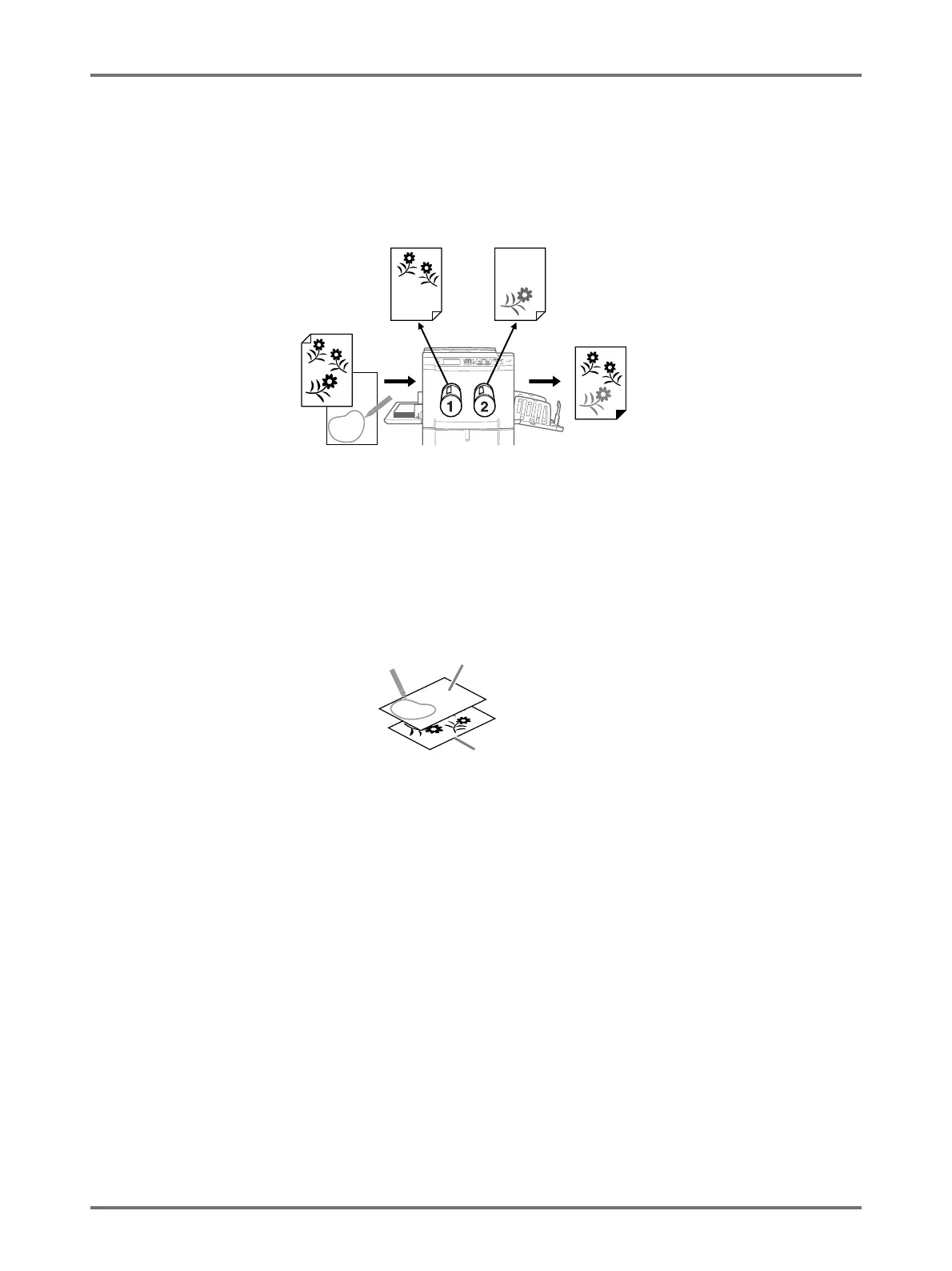
Separates the original using a separate sheet (Area Specification Sheet) that is written on using the recommended
pen for the desired area. The master of the portion outside the specified area is created on Drum 1, the portion within
on Drum 2 (drums are reversed if [Sw.Colour] is selected).
Note:
• About the Area Specification Sheet
Use the area specification sheet if you are using an original that cannot be written on. Also use the area specifica-
tion sheet for separating originals with photos or colour images. The Area Specification Sheet should be a white
sheet of paper the same size as the original. Place the sheet on the original and draw around the area to be sep-
arated (the area to be printed in colour) with the pen.
Area Specification
Sheet
Original
Print Results
Drum 1
(outside area)
Drum 2
(inside area)
Area Specification
Sheet
Original



 To Next Page